Camera Company
Company
Shop By Category
T&Cs
Shop Online
  • The maker's specifications on every page
  • Free tracked Canada-wide delivery over $150
  • 14-day returns

1080p Webcam with Microphone | USB webcam for PC | Streaming webcam

1080p Webcam with Dual Noise-Reducing Microphones

$69.99 $83.99 Save $14
  • Full HD 1080p
  • Two Microphones
  • No Drivers Needed
  • Privacy Cover

Price: $69.99 $83.99

  • Free tracked Canada-wide delivery on orders $150+, otherwise a flat $20
  • Pay by card or PayPal, handled by the payment provider
  • 14 days to change your mind, plus your statutory rights
Product specifications
Model NameC960
Model Number960
Camera TypeWebcam
Video Resolution1080p (1920x1080 Full HD)
Display Resolution Maximum1920x1080
Image Aspect Ratio16:9
Effective Still Resolution2 MP
Viewing Angle90 degrees
Lens TypeWide angle
Focus TypeFixed focus
Aperturef/2.8
Sensor TypeCMOS
Photo Sensor TechnologyCMOS
Microphones2 omnidirectional noise-reducing mics
Focus Range11.8 to 118.1 inches
White BalanceAutomatic
Exposure ControlAutomatic
Video Capture FormatAVI
Supported Image FormatJPEG
ConnectivityUSB
Form FactorCompact, foldable
Special FeaturesDual noise-cancelling microphones, auto low-light correction, privacy cover, tripod holder
Compatible SystemsWindows 10/11, macOS 10.14 or later, Linux, Android TV 7.0 or later (the specifications also mention Windows 7 and macOS 10.10 and above)
Onboard StorageNone, records to your computer
Water ResistanceNot water resistant
Item Dimensions (D x W x H)4.88 in x 2.65 in x 2.04 in
Item Weight0.16 kg
In the BoxWebcam, privacy cover, USB cable, user manual
Weight0.16 kg
Shipping & returns

Tracked delivery anywhere in Canada. It is free on orders of $150 or more, and a flat $20 below that.

If it is not right for you, send it back within 14 days of delivery in resaleable condition and we refund the price you paid, including standard delivery. That is a voluntary policy we offer on top of your legal rights. You cover the cost of returning it unless the item is faulty.

If it arrives faulty, damaged or not as described, we put it right at no cost to you under the consumer protection law of your province or territory (for example the Ontario Consumer Protection Act, 2002), return postage included.

Shipping details · Refunds and returns

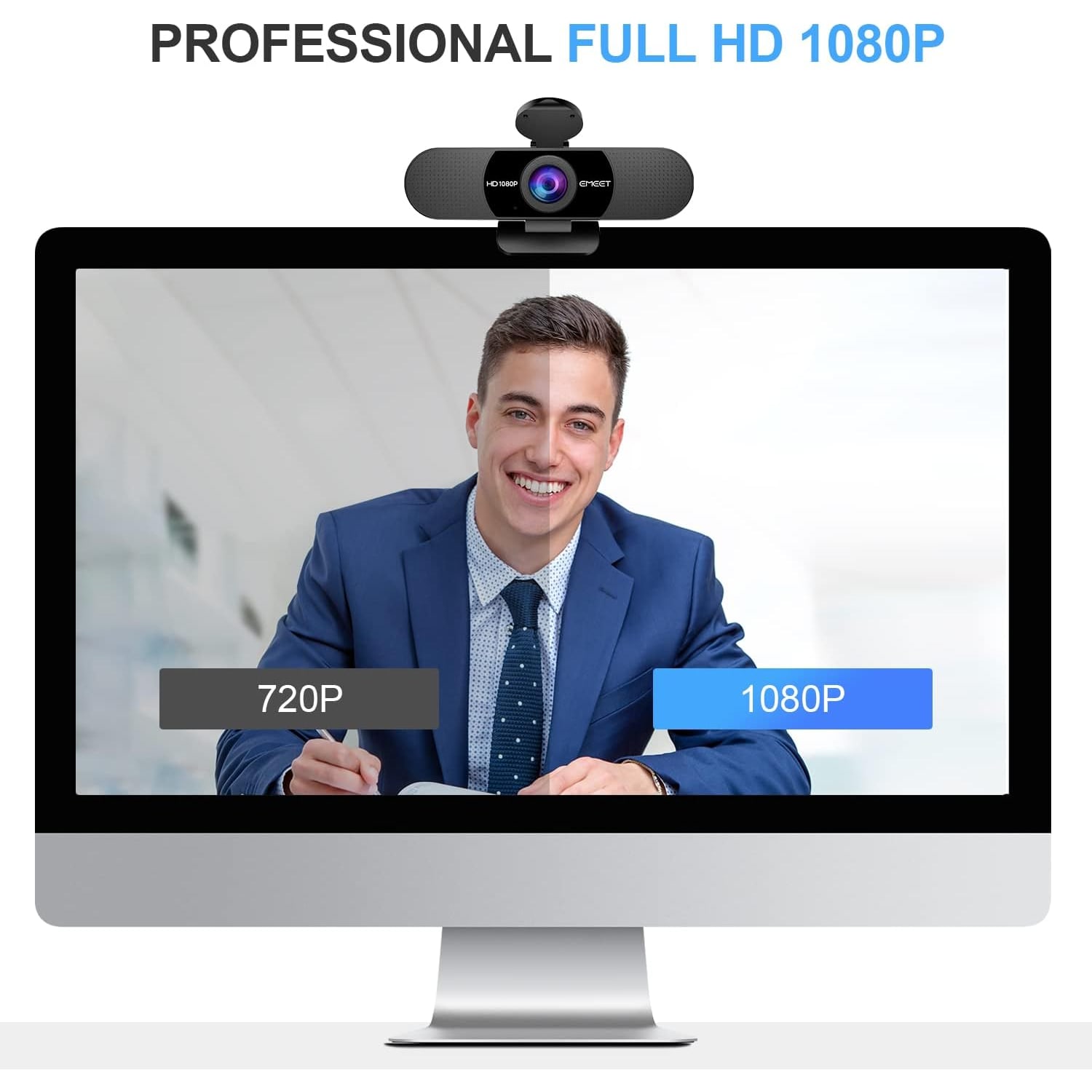
Full HD 1080pRecords and streams at 1920x1080 with a 16:9 picture.
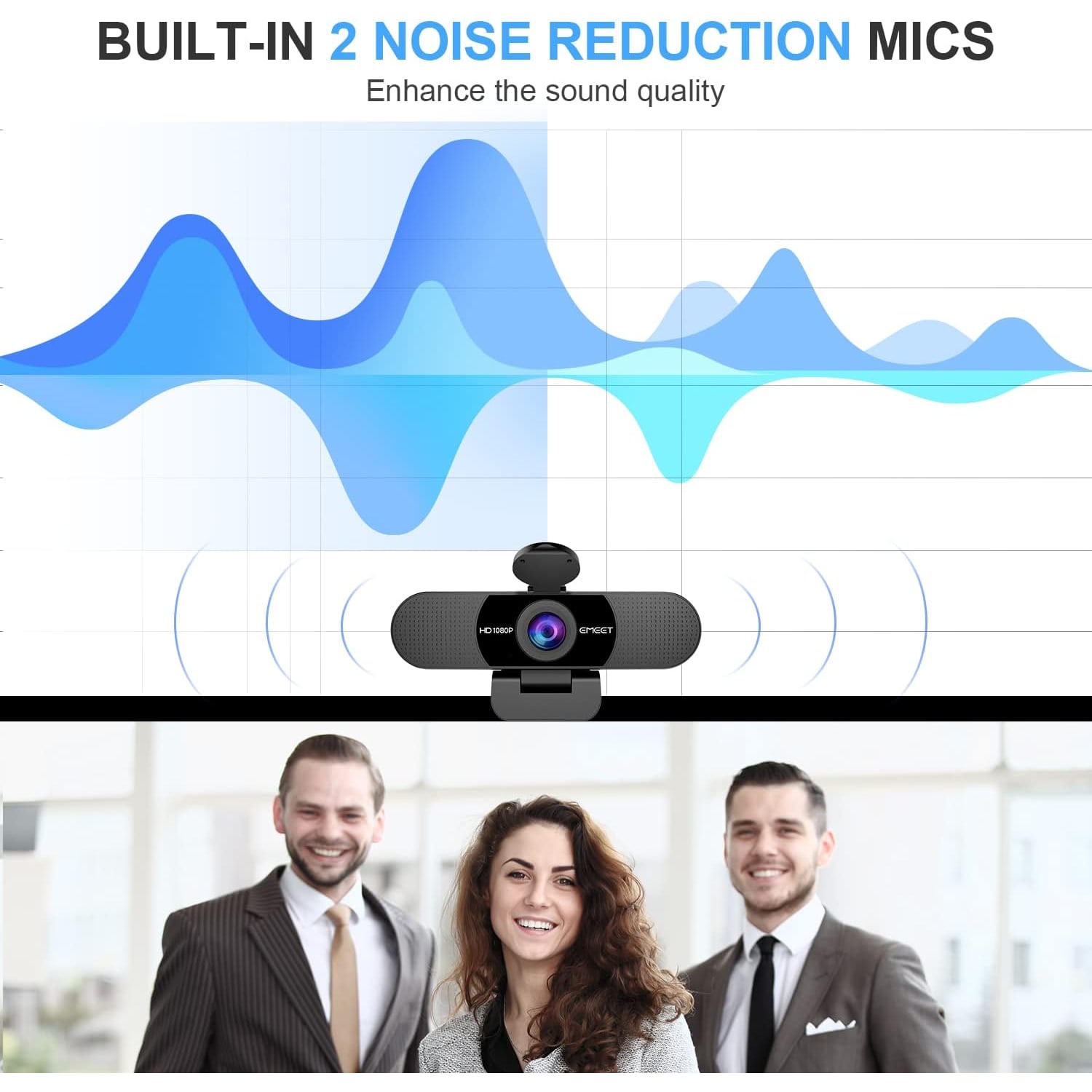
Two MicrophonesDual omnidirectional mics pick up your voice and cut background noise.
No Drivers NeededPlug the USB cable in and the camera is ready to use.
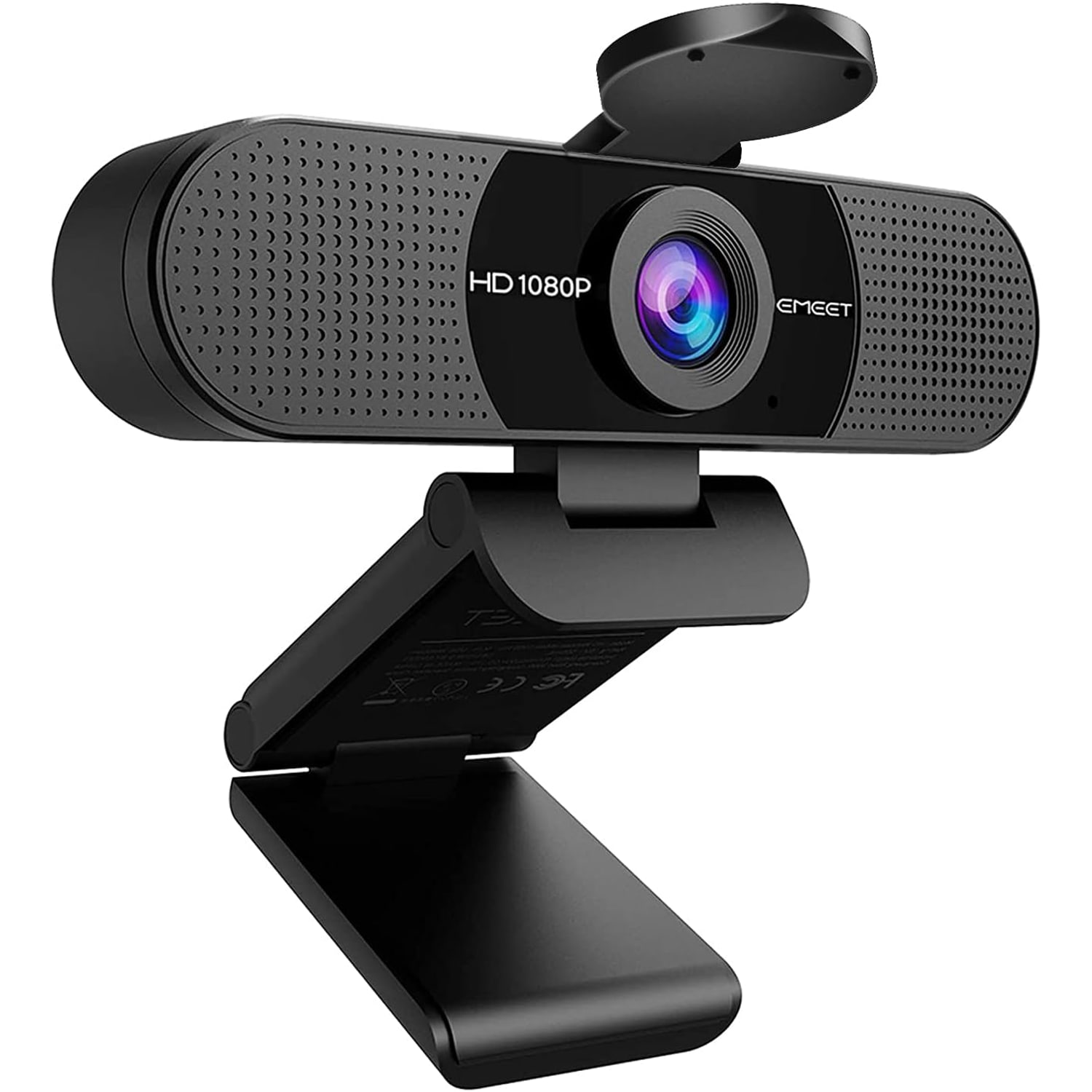
Privacy CoverA cover closes over the lens when the camera is not in use.

Show up clear and sound clear on every call with a 1080p webcam with microphone that just plugs in and works.

Full HD video at 1920x1080, a 90 degree wide-angle lens, two built-in noise-reducing microphones, automatic low-light correction and a flip-down privacy cover, with a foldable clip that fits a monitor, laptop or tripod.

Shoot and stream in Full HD at 1920x1080 so your face reads clearly instead of turning into a soft blur on the other end of the call.

Two built-in omnidirectional noise-reducing microphones capture your voice and push down room noise, so you do not need a separate headset for most meetings.

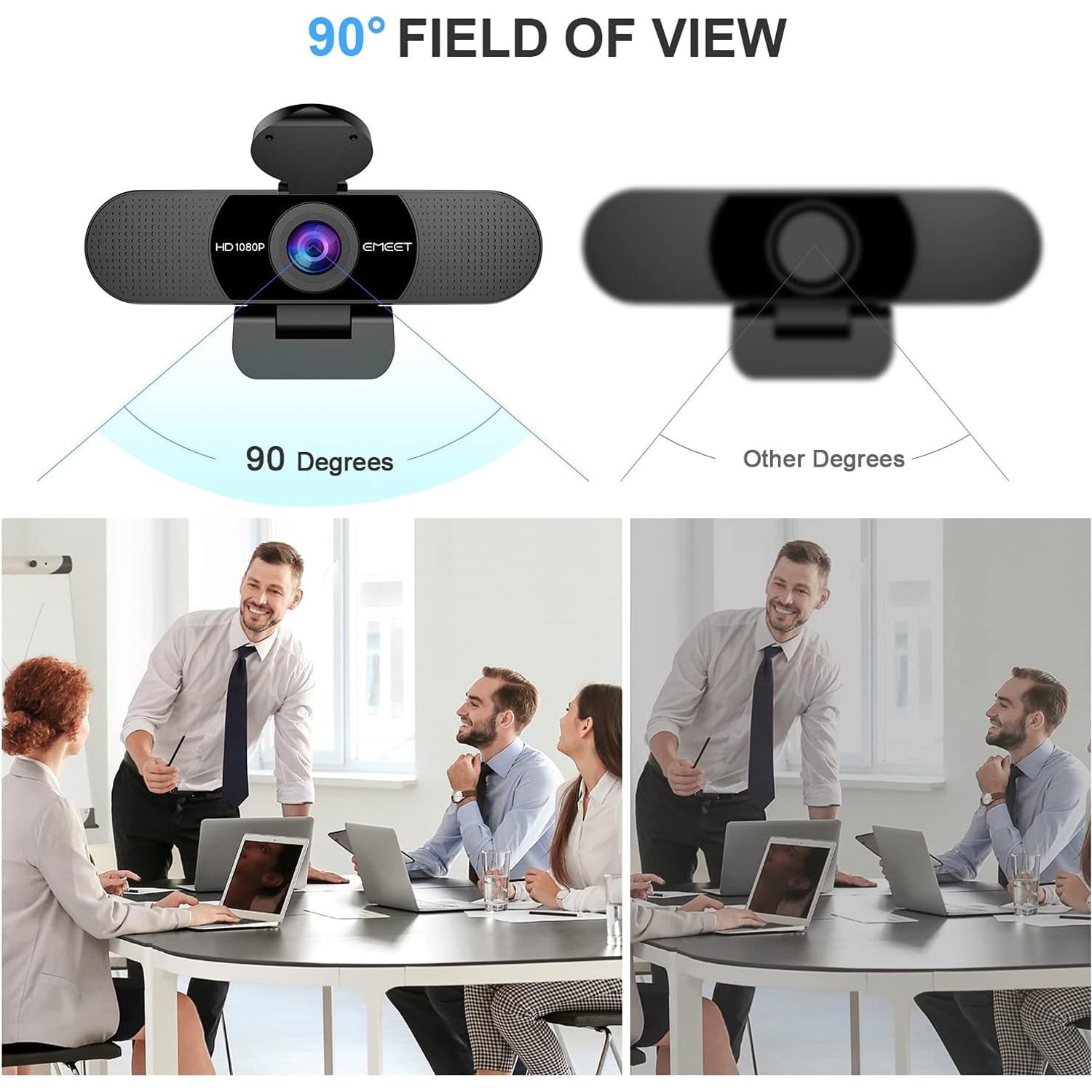
A 90 degree wide-angle lens fits more of the desk or the room in frame, which helps when two or three people share one camera.

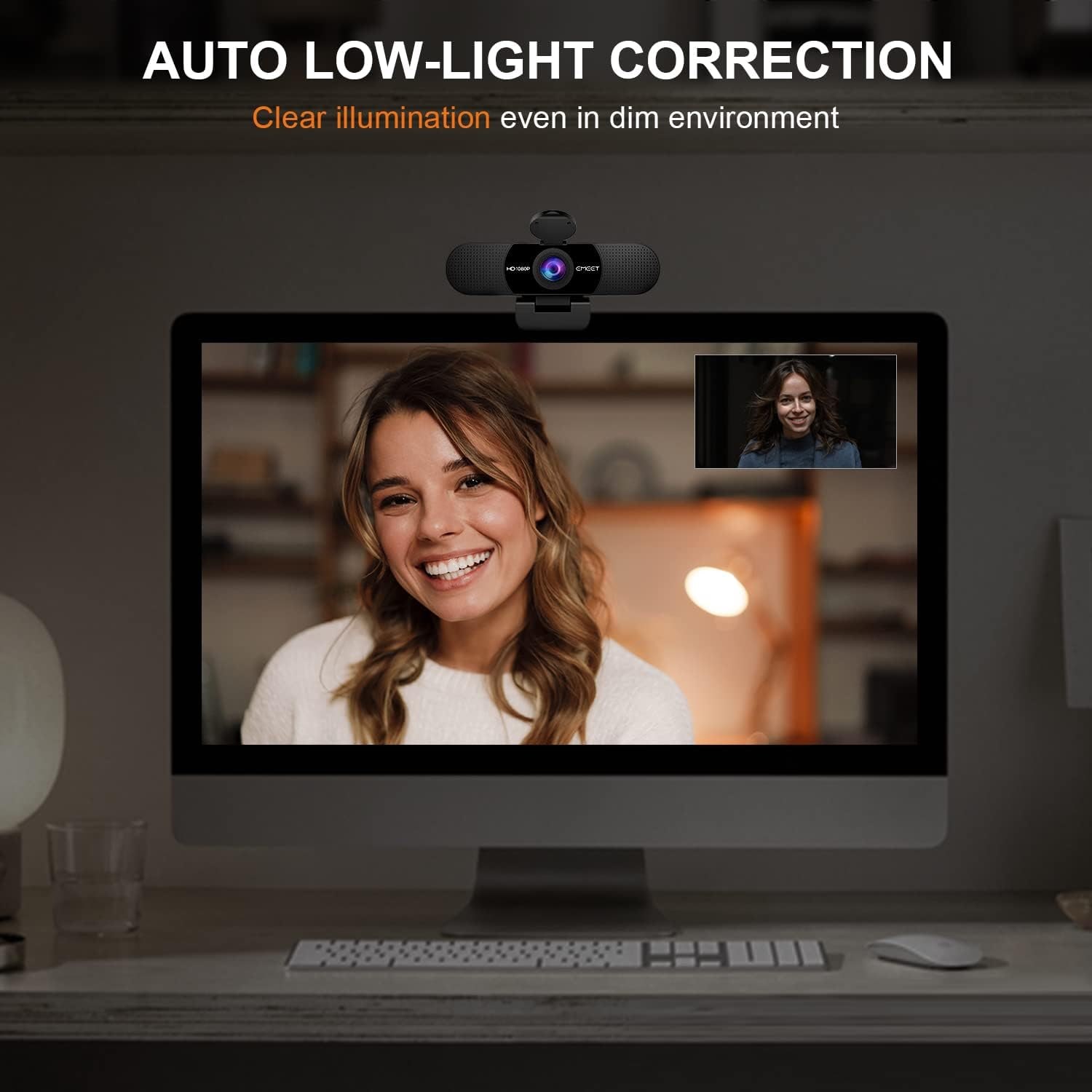
Automatic low-light correction, auto white balance and automatic exposure keep the picture usable in a dim room or with a bright window behind you.

The foldable clip sits on a monitor or laptop lid, screws onto a tripod, and a privacy cover closes over the lens whenever you want the camera shut.

1080p Webcam with Dual Noise-Reducing Microphones

Most laptop cameras were an afterthought. They sit above a screen that leans back, they use a tiny sensor, and they turn anything less than bright daylight into grain. This 1080p webcam with microphone replaces that with a proper Full HD picture at 1920x1080 and a 16:9 frame, so the person on the other end sees your expression rather than guessing at it. For anyone doing daily meetings, interviews or lessons, the difference shows up in the first thirty seconds of a call.

1080p Webcam with Dual Noise-Reducing Microphones

Audio matters as much as picture, and this one carries two omnidirectional microphones rather than a single pickup. They work together to capture your voice while filtering out the steady background noise that fills most rooms, like a fan, an air conditioner or traffic outside. One practical note, after you plug the camera in, open your meeting software's audio settings and choose the webcam as the microphone input, otherwise your computer may stay on its built-in mic.

1080p Webcam with Dual Noise-Reducing Microphones

The lens is a fixed focus wide angle with a 90 degree field of view and an f/2.8 aperture, built over a CMOS sensor. The wide angle is useful when more than one person shares a camera, because you do not have to crowd together or keep nudging the camera left and right. Automatic low-light correction, auto exposure and auto white balance all run in the background, which keeps the image workable when the room is dim or when a bright window sits behind you.

1080p Webcam with Dual Noise-Reducing Microphones

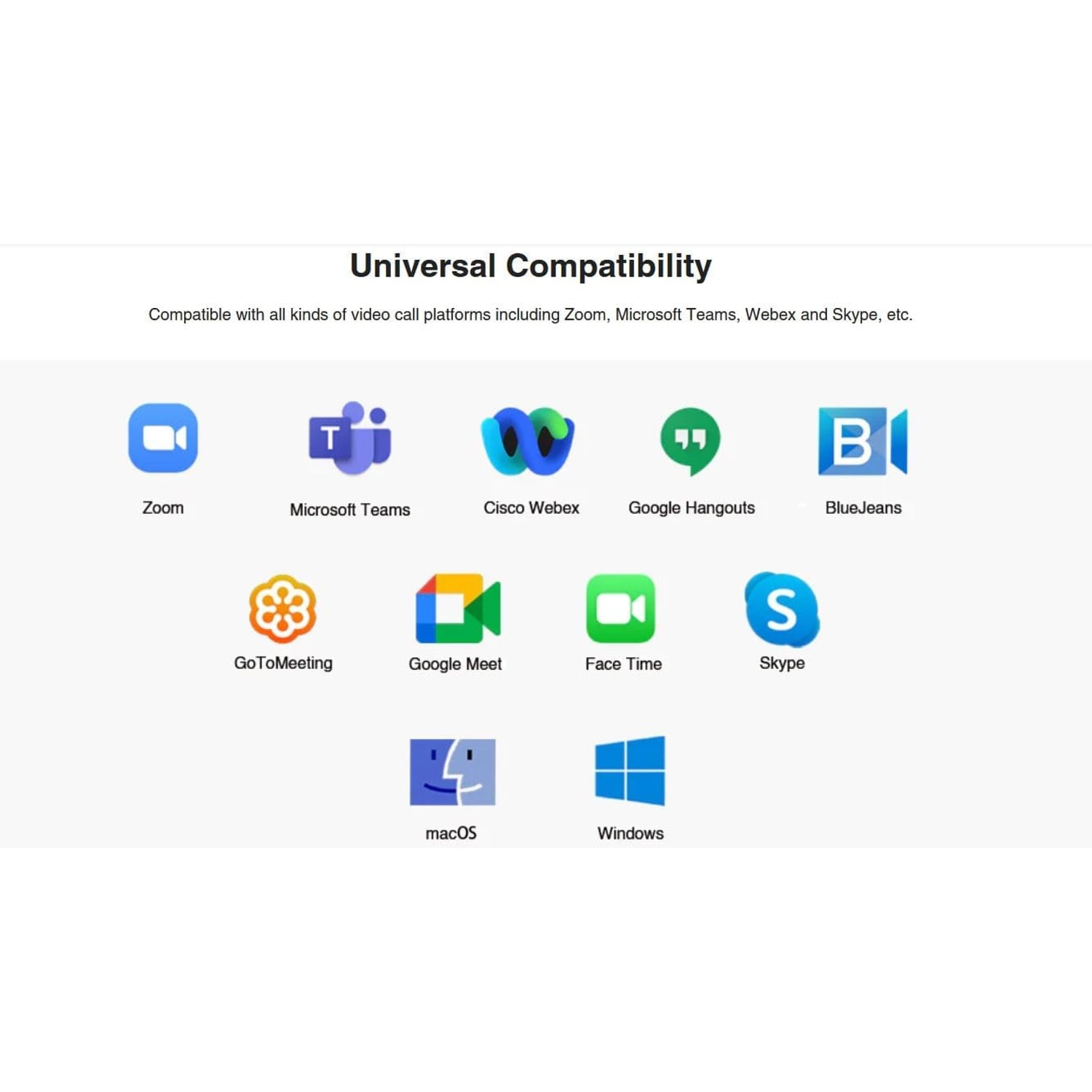
Setup is about as simple as it gets. There are no drivers to download. You plug the USB cable into a free port and the camera appears as a video and audio device in Zoom, Teams, Google Meet, FaceTime, YouTube and other major software. The maker's description names Windows 10/11, macOS 10.14 or later, Linux and Android TV 7.0 or later, and its specifications also mention Windows 7 and macOS 10.10 and above. Chrome OS is not a system we would recommend relying on here, since support varies across versions and hardware.

1080p Webcam with Dual Noise-Reducing Microphones

Physically it is small and easy to live with. The body measures about 4.88 inches deep by 2.65 inches wide by 2.04 inches high and weighs roughly 0.16 kg, with a foldable clip that grips a monitor bezel or a laptop lid and flattens out to sit on a desk. The clip is tripod ready if you want to mount it on a small stand. The privacy cover closes over the lens when you are done, which is a simpler answer to privacy than trusting an indicator light. The camera is not water resistant and has no onboard storage, so everything records to the computer it is attached to.

Not sure yet? That is fine.

A camera has to suit the job you bought it for, and you cannot always judge that from a photograph. If it is not right for you, send it back within 14 days of delivery in resaleable condition and we refund the price you paid, including standard delivery. That is a voluntary policy we offer on top of your legal rights.

If it turns up faulty, damaged or not as described, that is on us. The consumer protection law of your province or territory covers you, and we pay the return postage. Read the full detail on our refunds and returns page, or ask us anything before you order.

Frequently Asked Questions

What video resolution does this webcam record at?

It captures and streams Full HD at 1920x1080, which is standard 1080p, in a 16:9 widescreen frame. Still photos come out at 2 MP in JPEG format. Video capture format is listed as AVI.

Does it have a built-in microphone?

Yes, there are two built-in omnidirectional microphones with noise reduction. They are designed to pick up your voice while filtering out steady background sound. For many people that removes the need for a separate headset on routine calls.

Do I need to install drivers?

No. It is plug and play over USB, so your computer recognizes it as a camera and microphone as soon as you connect it. You may still need to pick it as the active device inside your meeting app.

Which operating systems does it work with?

The maker's description names Windows 10/11, macOS 10.14 or later, Linux and Android TV 7.0 or later, while its specifications also mention Windows 7 and macOS 10.10 and above. Chrome OS is not recommended by the maker, as it may not be compatible with all versions and models.

Will it work with Zoom, Teams and Google Meet?

Yes. The maker names Zoom, Teams, FaceTime, Google Meet and YouTube among the software it works with. Choose it as both the camera and the microphone in the app's settings.

Can I use it for live streaming?

The maker describes it as a streaming webcam and names YouTube among the software it works with. Select it as your video source and, if you want its mics, as your audio source too.

What is the field of view?

The lens covers 90 degrees, which is a wide angle for a desktop camera. The maker says it can accommodate more participants in the frame. It also means you catch more of the background, so it helps to think about what is behind you.

Does it autofocus?

No, it uses a fixed focus lens. That keeps the picture stable and avoids the hunting you sometimes get with autofocus cameras during calls. The maker gives the in-focus range as 11.8 to 118.1 inches.

How far should I sit from the camera?

The maker states that the fixed focal length keeps objects clear between 11.8 and 118.1 inches from the lens. A typical seated distance at a desk sits well inside that range, which is what you want from the best usb webcam for pc setups.

How does it handle a dark room?

It applies automatic low-light correction along with auto exposure and auto white balance, so it brightens the image when the room is dim. It is still a small sensor, so very dark rooms will show more noise. Adding a lamp in front of you makes a bigger difference than any setting.

What about a bright window behind me?

Automatic exposure will try to balance the scene, which helps with backlight to a point. For the cleanest result, turn so the window is in front of you or off to one side rather than directly behind. That is the single easiest fix for backlit video.

Does it have a privacy cover?

Yes, a cover is included. In the product photos it is a round cover on a hinge above the lens that flips down over it, so the camera physically cannot see anything when it is closed. It is simple and it does not depend on software. Many people find it easier to trust than an indicator light.

How does it attach to my screen?

It has a foldable clip that hooks over a monitor bezel or a laptop lid and grips it. The clip also folds flat so the camera can stand on a desk or shelf. Mount it at eye level if you can, since that gives the most natural angle.

Can I put it on a tripod?

Yes, the maker lists a tripod holder and the photos show the clip mounted on a small tripod. A tripod is not included. That is handy if your monitor has a thick bezel or if you want the camera off to one side. A short tabletop tripod is usually all you need.

What size is it?

It measures roughly 4.88 inches deep by 2.65 inches wide by 2.04 inches high and weighs about 0.16 kg. That is small enough to drop into a laptop bag pocket. The foldable clip keeps it compact in transit.

What comes in the box?

You get the webcam, the privacy cover, a USB cable and a user manual. There is nothing else to buy to start using it with a computer. A tripod, if you want one, is bought separately.

How long is the USB cable?

The exact cable length is not specified by the maker. It is designed to reach from a monitor or laptop to a nearby USB port, which covers most desk layouts. If your tower sits on the floor some distance away, a USB extension may help.

Does it need a power adapter?

No, it draws power over the USB connection, so one cable handles both power and data. Plug it into a port on the computer itself where possible. Unpowered hubs can sometimes cause dropouts.

Can I use it with a USB hub?

It will often work through a hub, but a powered hub is a safer bet than an unpowered one. If the video stutters or the device disconnects, try moving it to a port directly on the computer. That solves most hub-related problems.

Does it record to a memory card?

No, there is no onboard storage and no card slot. Everything is captured by the computer it is connected to, using whatever software you are running. Think of it as a camera for your PC rather than a standalone recorder.

Is it waterproof?

No, it is not water resistant and should be used indoors in a dry spot. Keep it away from sinks, open windows in wet weather and drinks on the desk. Clean it with a dry cloth rather than anything damp.

Is it suitable for online teaching?

Yes, the Full HD picture and wide 90 degree view suit lessons, tutorials and office hours. The dual mics mean students hear you clearly without a headset. For anyone shopping for the best webcam for online teaching, the fixed focus lens is a plus because the picture does not drift.

Can two people share it on one call?

Yes, the maker says the 90 degree wide-angle lens can accommodate more participants. Set it back a little further than you would for a solo call. In a large conference room, a dedicated room system will do better.

Will it improve my video quality over a laptop camera?

In most cases yes, since many built-in laptop cameras run below 1080p and use smaller optics. You also gain the wide angle, the privacy cover and the ability to place the camera where you want it. Lighting still matters more than any single spec.

My computer keeps using its own microphone. What do I do?

Open the audio settings in your meeting app and in your operating system, then select the webcam, which the maker says appears as C960, as the input device. Most systems default to whatever was connected first, so this is a common first-time step. Once set, it usually stays selected.

How do I clean the lens?

Use a dry microfiber cloth with light pressure and nothing else. Avoid sprays, alcohol wipes and paper towels, which can leave marks or scratches. A quick wipe every few weeks keeps the picture sharp.

Is it a good travel webcam?

It is, since the clip folds flat and the whole unit weighs around 0.16 kg. It fits in a laptop sleeve pocket with the cable. For hotel desks and shared workspaces, it is an easy upgrade over a built-in camera.

Does it make a good gift?

Yes, it is a practical gift for someone who works from home, studies online or has started streaming. It needs no setup knowledge beyond plugging in a cable.

How is it delivered and how long does it take?

We deliver to addresses across Canada by tracked delivery. Most orders arrive within 4 to 7 business days of the order date, and rural, remote and northern addresses can take a little longer. Delivery is free on orders of $150 or more and a flat $20 under that.

What if it is not right for me?

Returns are accepted within 14 days of delivery as long as the camera is in resaleable condition with its cable, cover and packaging, with the buyer paying return shipping. Get in touch before sending anything back and we will walk you through it. If something is not working as described, tell us what you are seeing and we will sort it out.

How to Choose a 1080p Webcam with Microphone for Work, Study and Streaming

6 min read Camera Company

The problem with the camera you already have

Most people discover their laptop camera is bad in the worst possible way, halfway through a job interview or a client call, when someone says "you're a bit dark, can you move?" Built-in cameras are squeezed into a thin screen lid, which limits how much glass and sensor the maker can fit. The results are predictable. Soft detail, grainy shadows, washed-out colour and a viewing angle that is usually too tight.

The microphone has the same problem. It sits inside a laptop body that hums and clicks, often next to a fan. You end up with a thin voice, keyboard noise on every keystroke and a general sense that you are talking from inside a box.

A separate USB webcam solves both at once. It is one of the cheapest upgrades you can make to how you come across on a call, and it takes about thirty seconds to set up.

What 1080p actually buys you

Resolution is the number everyone quotes, and 1080p means 1920 pixels across by 1080 down. That is more than twice the pixel count of 720p, which was the standard for years on cheap cameras. In practice you see it in the edges of your face, the text on a whiteboard behind you and the detail in clothing.

Here is the honest caveat. Most meeting platforms compress video hard, especially when several people are on the call. You do not always get full 1080p to the far end. But starting with a better picture means the compressed version still looks better than a compressed 720p feed. And when you record locally, or when you stream to one platform with a decent bitrate, the full resolution shows.

This camera uses a CMOS sensor behind a fixed focus wide-angle lens at f/2.8, with a 90 degree field of view and a 16:9 frame. Still images come out at 2 MP in JPEG. Video capture format is listed as AVI.

Fixed focus versus autofocus

Autofocus sounds better on a spec sheet. In a webcam it is often a nuisance. Autofocus systems hunt. You lift a coffee cup, the camera decides the cup is the subject, and your face goes soft for a second before snapping back. On calls, that pulsing is distracting.

Fixed focus avoids all of it. The lens is set for a useful working range, which the maker gives as 11.8 to 118.1 inches, and as long as you sit at a normal desk distance you stay sharp. The trade-off is that you cannot hold a document right up to the lens and expect it to read. For talking heads, which is what nearly everyone does, fixed focus is the more reliable choice.

Why two microphones matter

A single microphone captures sound from one point. Two omnidirectional mics give the camera more to work with, and the maker describes them as picking up your voice and filtering out background noise.

Steady noise is what this handles best: a fan, an air conditioner, a fridge, road hum through a window. Sudden noise, like a door slamming or a dog, will still get through. No microphone at this size fixes that.

One setup note that catches people out. Plugging the camera in does not automatically switch your audio. Go into your meeting software's audio settings and choose the webcam (the maker says it appears as C960) as the microphone, otherwise your computer keeps using its own. Do it once and most systems remember.

Light is the part nobody tells you about

You can spend a lot on a camera and still look bad if the light is wrong. Small sensors need light. When they do not get enough, they amplify the signal and you see grain.

This camera applies automatic low-light correction, auto exposure and auto white balance, so it does what it can on its own. It brightens dim rooms and tries to balance a scene where one part is much brighter than another. That helps if you sit near a sunny window and do not want to keep closing the blind.

But the single best thing you can do costs nothing. Put the main light source in front of you, not behind you. A desk lamp bounced off a wall, or simply turning your desk to face the window, will do more for your image than any menu setting. If you want to go further, a cheap LED panel at eye level on one side gives a soft, flattering result.

Who this camera suits

It is a good fit for daily meetings, remote work, online classes, tutoring, interviews and casual streaming. The 90 degree angle means two or three people can share it at a desk without squeezing together, which is useful for couples on family calls or a pair of colleagues joining from one room.

It suits travel too. The clip folds flat, the whole thing weighs about 0.16 kg and it measures roughly 4.88 by 2.65 by 2.04 inches. It disappears into a laptop sleeve.

It is less suited to a large conference room, where you want a wider lens and room-wide microphone coverage, and it is not a replacement for a dedicated camera if you are doing high-end production work. For everything between those two extremes, it does the job.

Mounting and placement

The foldable clip grips a monitor bezel or a laptop lid, and it flattens so the camera can stand on a desk or a shelf. The clip is tripod ready if you would rather use a small stand, which is genuinely useful when your monitor has a thick frame or an odd shape.

Aim for eye level. Cameras below your face look up your nose and make the ceiling the main background. Cameras far above make you look down and shrink your presence on screen. A stack of books under a tripod is a perfectly respectable solution.

Also think about what is behind you. A 90 degree lens catches more of the room than you expect. A plain wall, a bookshelf or a tidy corner all read better than an open doorway.

Privacy, in simple terms

There is a cover that closes over the lens. In the product photos it is a round cover on a hinge above the lens. When it is closed, the camera cannot see anything, full stop. That is a mechanical fact rather than a software promise, which is why a lot of people prefer it.

On audio and recording other people, the sensible line is this. Recording conversations and recording other people is covered by federal and provincial law, and the rules vary. If you plan to record meetings, check what applies where you are.

Care and everyday handling

Treat the lens like glasses. A dry microfiber cloth, light pressure, no sprays or solvents. A smear on the front element softens every frame you shoot, and it is the most common reason a camera suddenly looks worse than it did last month.

Keep the body dusted with a soft dry cloth. The camera is not water resistant, so keep drinks away from it and do not use it outdoors in wet weather. Unplug by gripping the connector rather than yanking the cable, and fold the clip with the cover closed when you put it away.

If the picture ever stutters or the device drops out, the usual culprit is the USB connection. Try a port directly on the computer rather than an unpowered hub, and avoid long extension cables where you can.

The short version

If your calls look grainy and sound thin, a dedicated webcam fixes both problems for less than the price of a decent headset. This one gives you Full HD at 1920x1080, a 90 degree wide view, two noise-reducing microphones, automatic low-light handling, a privacy cover and a clip that works on a monitor, a laptop or a tripod. There are no drivers to install and it runs on Windows, macOS, Linux and Android TV.

Point a light at your face, set the camera at eye level, pick it as your microphone in your meeting app, and you are done.

Browse the shop

Not sure if this camera suits your desk?

Tell us what you use it for and how your room is lit, and we will tell you honestly whether this one fits.

Ask us a question

Page summary

This is a compact USB webcam that records and streams Full HD video at 1920x1080 in a 16:9 frame using a CMOS sensor and a fixed-focus 90 degree wide-angle lens at f/2.8. Two built-in omnidirectional noise-reducing microphones handle audio. Automatic low-light correction, auto exposure and auto white balance are included, along with a privacy cover, a foldable monitor clip and a tripod holder. It is plug and play over USB with no driver install, and the maker's description names Windows 10/11, macOS 10.14 or later, Linux, and Android TV 7.0 or later (its specifications also mention Windows 7 and macOS 10.10 and above). Still images are 2 MP JPEG; video capture format is AVI. The unit measures 4.88 x 2.65 x 2.04 inches and weighs 0.16 kg. It is not water resistant and has no onboard storage. The colour is black. Brand and country of origin are not specified by the maker.