Camera Company
Company
Shop By Category
T&Cs
Shop Online
  • The maker's specifications on every page
  • Free tracked Canada-wide delivery over $150
  • 14-day returns

1080p Webcam with Tripod Stand | HD webcam with microphone | USB web camera

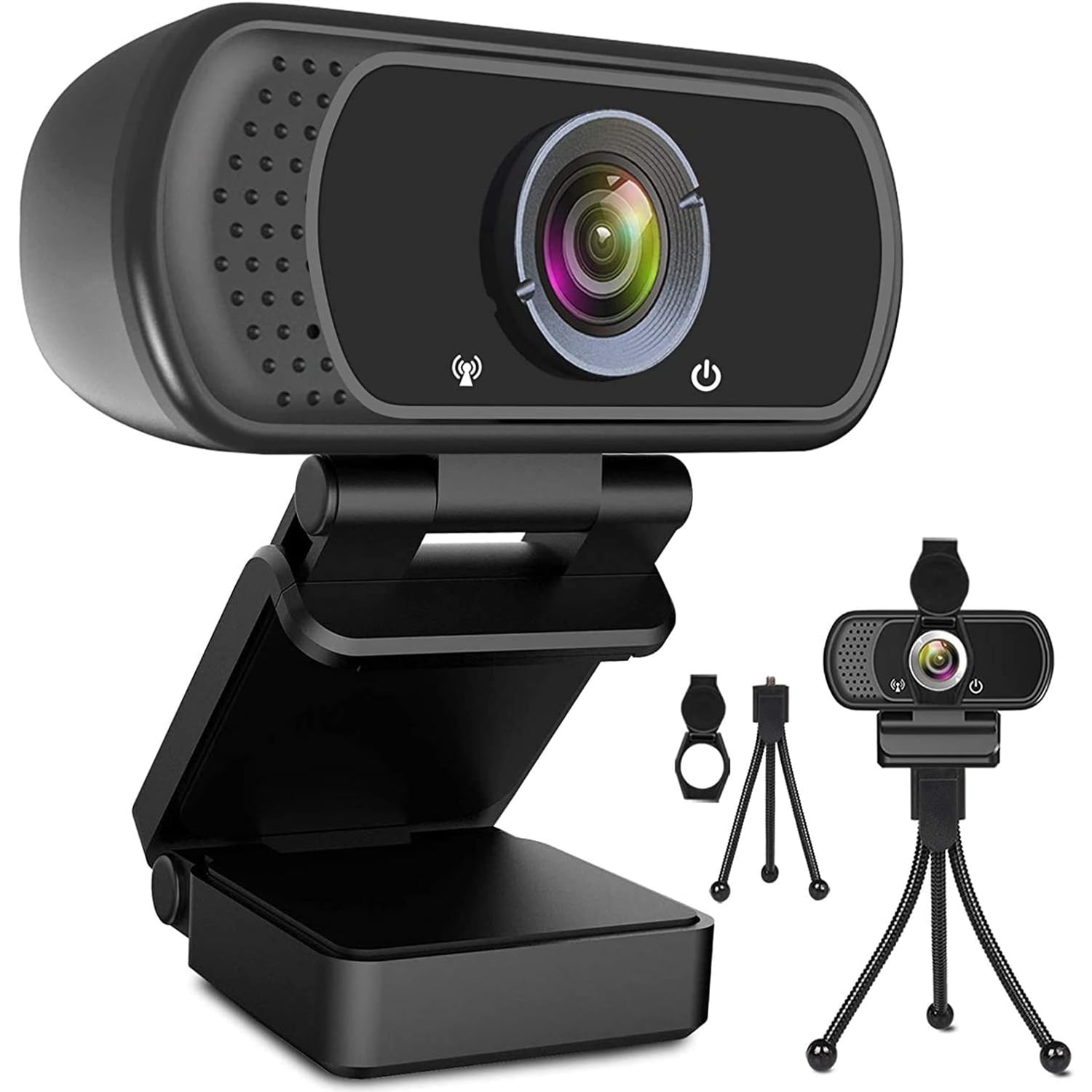
1080p Webcam with Tripod Stand and Privacy Cover

$57.99 $69.99 Save $12
  • Full HD 1080p
  • Built-In Stereo Mic
  • Privacy Cover
  • Clip or Tripod

Price: $57.99 $69.99

  • Free tracked Canada-wide delivery on orders $150+, otherwise a flat $20
  • Pay by card or PayPal, handled by the payment provider
  • 14 days to change your mind, plus your statutory rights
Product specifications
Video Resolution1080p Full HD
Frame Rate30 frames per second
Sensor TypeCMOS
Lens TypeWide angle, fixed focus
Viewing Angle110 degrees
Maximum Focal Length50 centimetres
MicrophoneBuilt-in digital stereo with noise reduction
ConnectionUSB (plug and play)
Cable Length6 ft (1.8 m)
Image StabilizationDigital
ZoomDigital
Aspect Ratio16:9
Resolution ModesFHD, HD, VGA
ExposureAutomatic
White BalanceAutomatic
Shooting ModesAutomatic
Special FeatureLow light correction
Still Image FormatJPEG
Supported Audio FormatsAAC, MP3, PCM, FLAC, Dolby Digital/AC-3
Operating SystemsWindows 2000, XP, 7, 8, 10, macOS, Chrome OS, Android, Smart TV
Compatible DevicesLaptop, desktop, Mac, PC, LCD monitor, smart TV, Android
Item Dimensions (D x W x H)3.8 in x 3.1 in x 2.5 in
In The BoxWebcam, tripod stand, privacy cover, user manual
Water ResistanceNot water resistant
Unit Count1
Shipping & returns

Tracked delivery anywhere in Canada. It is free on orders of $150 or more, and a flat $20 below that.

If it is not right for you, send it back within 14 days of delivery in resaleable condition and we refund the price you paid, including standard delivery. That is a voluntary policy we offer on top of your legal rights. You cover the cost of returning it unless the item is faulty.

If it arrives faulty, damaged or not as described, we put it right at no cost to you under the consumer protection law of your province or territory (for example the Ontario Consumer Protection Act, 2002), return postage included.

Shipping details · Refunds and returns

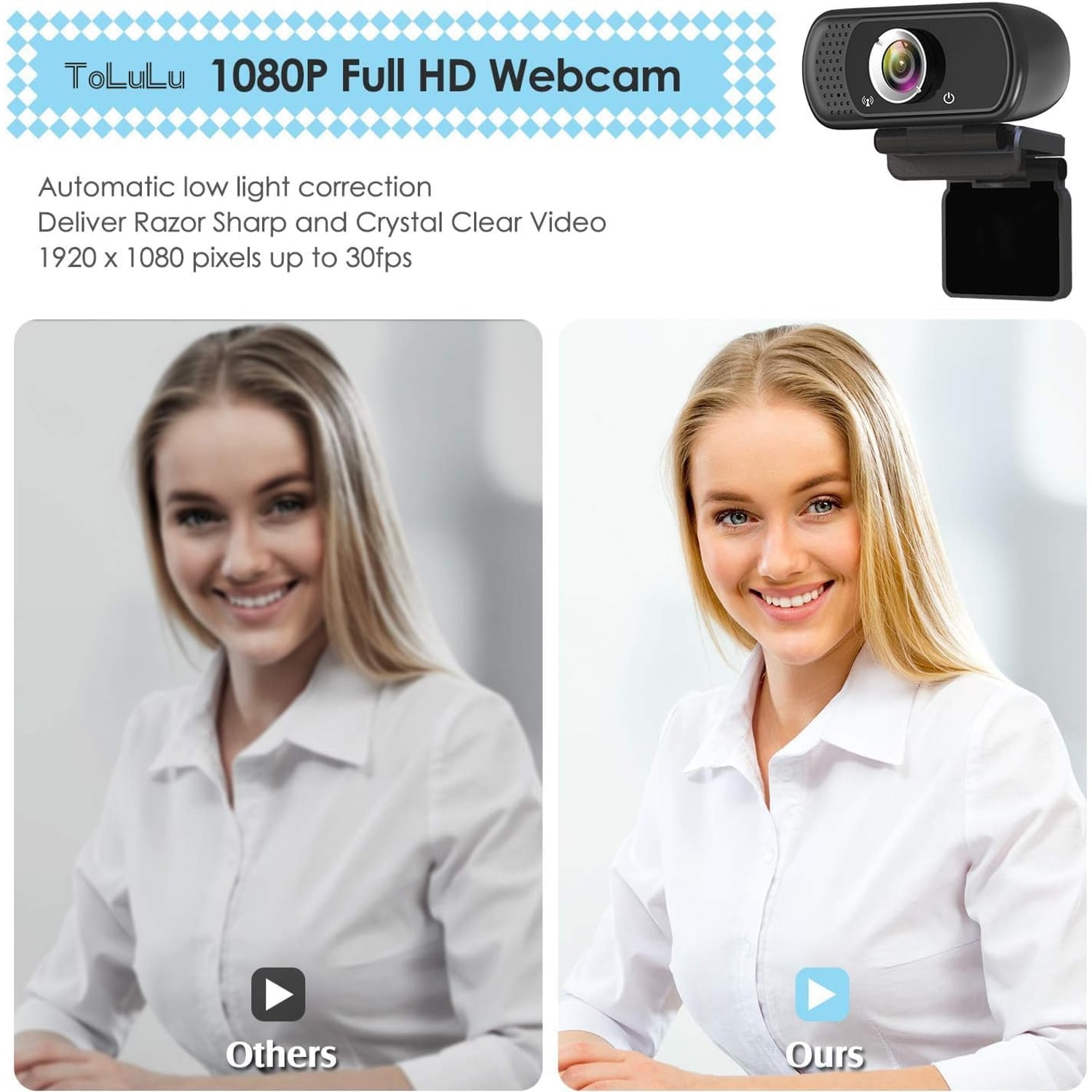
Full HD 1080pRecords and streams at 1080p and 30 frames per second.
Built-In Stereo MicDigital microphone with automatic noise reduction.
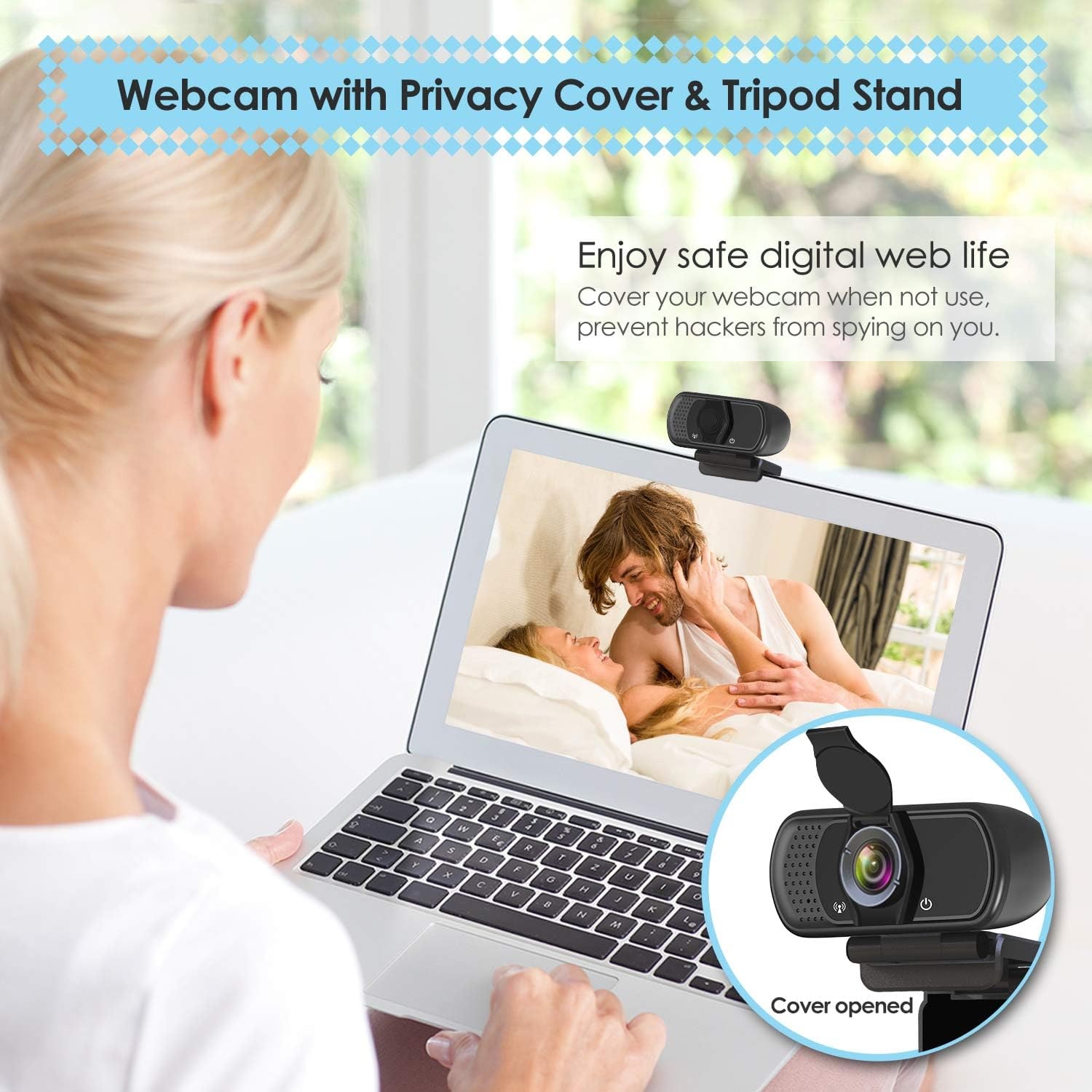
Privacy CoverA supplied cover flips down over the lens when you are done.
Clip or TripodAdjustable clip for monitors plus an included tripod stand.

Look sharp and sound clear on every call with a 1080p webcam with tripod stand that plugs in and works.

Full HD video at 30 frames per second, a built-in stereo microphone with noise reduction, a 110 degree wide angle lens, a privacy cover, a tripod stand and an adjustable tripod-ready clip.

Shoots full HD 1080p video at 30 frames per second through a fixed focus wide angle lens, so faces stay sharp across a desk.

A built-in digital stereo microphone with automatic noise reduction picks up your voice without a separate headset.

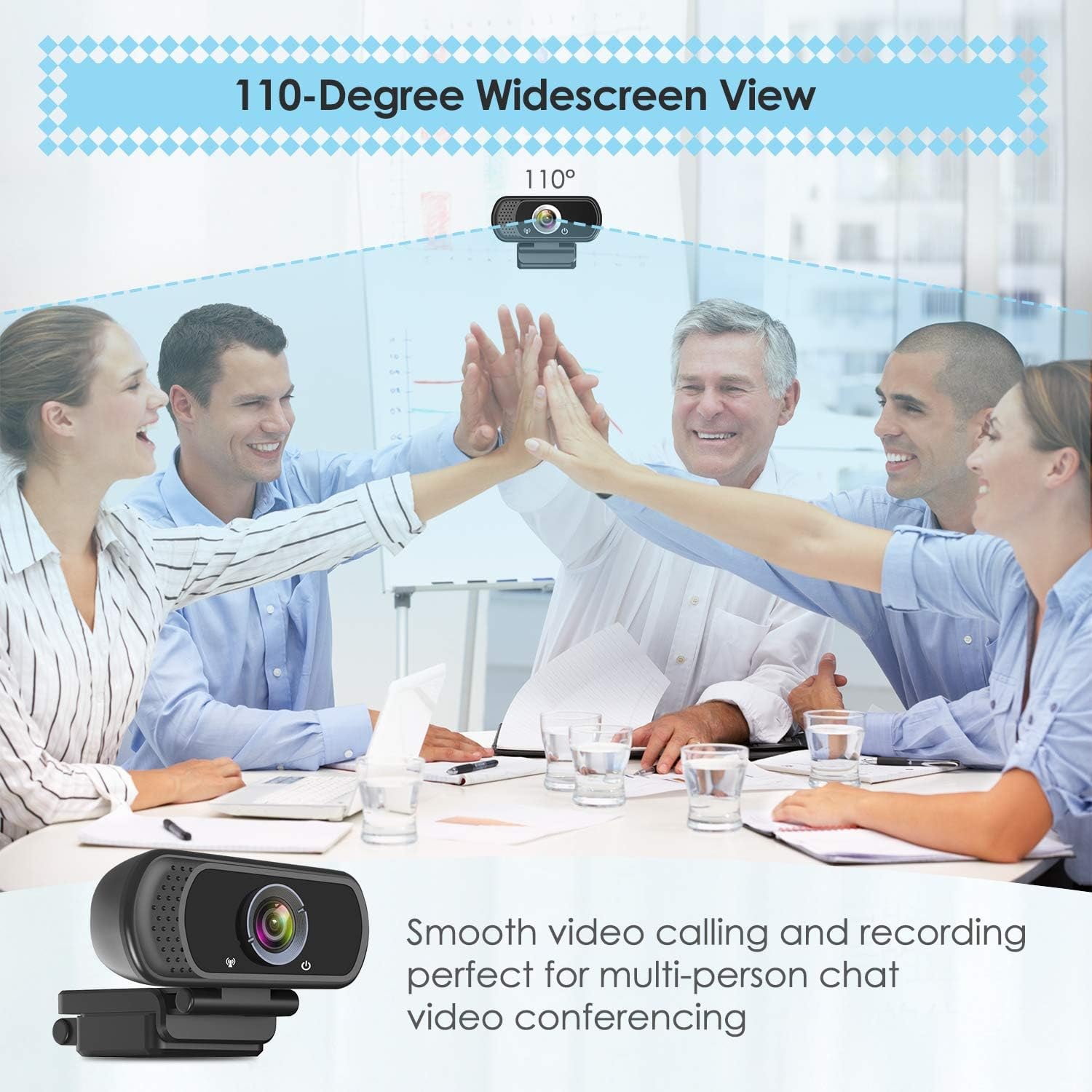
The 110 degree viewing angle fits more than one person in frame, which helps in small meeting rooms and family calls.

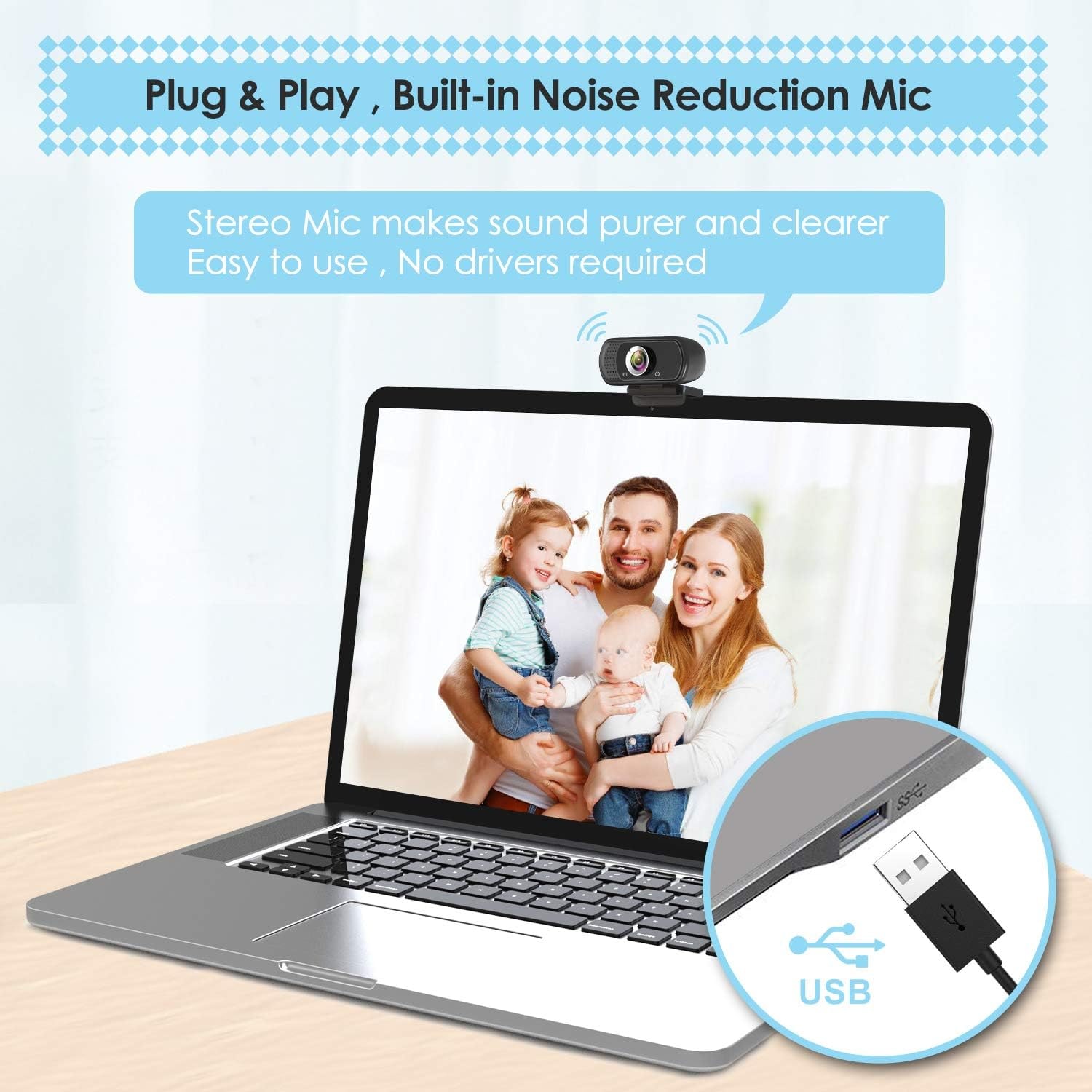
Plug and play over USB with no additional driver required, and it works with Windows, macOS, Chrome OS, Android and smart TVs.

A privacy cover and a tripod stand come in the box, so you can set it on a desk or clip it to a screen.

1080p Webcam with Tripod Stand and Privacy Cover

Most laptops still ship with a camera that was good enough in 2015 and has not improved since. You join a call, the picture looks soft and grainy, and the person on the other end spends the first minute asking if your connection is bad. This 1080p webcam with tripod stand fixes the obvious part of that problem. It captures full HD at 30 frames per second through a glass wide angle lens, so motion looks smooth instead of stuttery and your face holds detail rather than smearing into a blur every time you lean forward.

1080p Webcam with Tripod Stand and Privacy Cover

The lens covers a 110 degree field of view, which is noticeably wider than a typical built-in laptop camera. That matters in two situations. One is when more than one person needs to be on camera, like a couple on a family call or two colleagues sharing a desk in a small room. The other is when you want some of the room in shot for context, such as a teaching demo or a product walkthrough. Focus is fixed rather than motorized, so there is no hunting back and forth mid-sentence, and the maker gives the maximum focal length as 50 centimetres.

1080p Webcam with Tripod Stand and Privacy Cover

Audio is handled by a built-in digital stereo microphone with automatic noise reduction. For everyday calls that means you can skip the headset entirely. The maker says the mic picks up your voice even at 10ft. Exposure, white balance and low light correction all run automatically, so when the afternoon sun moves across your window the camera adjusts on its own rather than leaving you half in shadow. The spec table also gives image stabilization as digital.

1080p Webcam with Tripod Stand and Privacy Cover

Setup is the easy part. It connects over USB with no additional driver required. Plug it in, pick it in your video app's camera list, and you are live. The 6 ft cable gives you room to route it behind a monitor or across to a second screen. The adjustable universal clip fits laptops, desktops and LCD monitors, and when a clip is awkward you can mount the camera on the included tripod stand and sit it on the desk or a shelf instead. It works across Windows, macOS, Chrome OS, Android and smart TVs, which covers most home and office setups.

1080p Webcam with Tripod Stand and Privacy Cover

The privacy cover is the small detail people end up appreciating most. It is a separate piece supplied in the box that fits over the lens. When the call ends, you flip it down and the lens is physically blocked. No wondering, no tape over the camera, no guesswork. Note that recording audio and recording other people is covered by federal and provincial law, so check what applies where you are before you hit record on anything involving other people.

Not sure yet? That is fine.

A camera has to suit the job you bought it for, and you cannot always judge that from a photograph. If it is not right for you, send it back within 14 days of delivery in resaleable condition and we refund the price you paid, including standard delivery. That is a voluntary policy we offer on top of your legal rights.

If it turns up faulty, damaged or not as described, that is on us. The consumer protection law of your province or territory covers you, and we pay the return postage. Read the full detail on our refunds and returns page, or ask us anything before you order.

Frequently Asked Questions

What resolution does this webcam record at?

It captures full HD 1080p video at 30 frames per second. The maker also names HD and VGA alongside FHD as display resolutions. The image format is JPEG.

Does it have a microphone built in?

Yes, there is a built-in digital stereo microphone with automatic noise reduction, which the maker says picks up your voice even at 10ft. For most calls you will not need a separate headset or desk mic. If you want studio-grade audio for podcasting, a dedicated microphone is still the better tool.

Do I need to install any software or drivers?

No. It is plug and play over USB with no additional driver required. You then select it as your camera inside whatever app you are using.

What is the viewing angle?

The lens covers 110 degrees, which is wider than most built-in laptop cameras. That lets you fit two people in frame or show more of the room behind you. It is a useful width for a webcam for video conferencing in a small space.

Does it come with a tripod?

Yes, a tripod stand is included along with the webcam and privacy cover. You can either clip the camera to a monitor or mount it on the tripod and place it on your desk.

Will it clip onto a laptop lid?

Yes. The maker says the adjustable universal clip fits laptops, desktops and LCD monitors. The clip adjusts so you can set the camera angle once it is in place.

How long is the cable?

The maker gives the USB cable as 1.8m, 6 feet. That is usually enough to run from a desktop tower on the floor up to a monitor, or across to a second screen.

Is it compatible with Mac?

Yes. The maker names macOS alongside Windows 2000, XP, 7, 8, 10, Chrome OS, Android and smart TVs. It is plug and play, with no additional driver required.

Which apps does it work with?

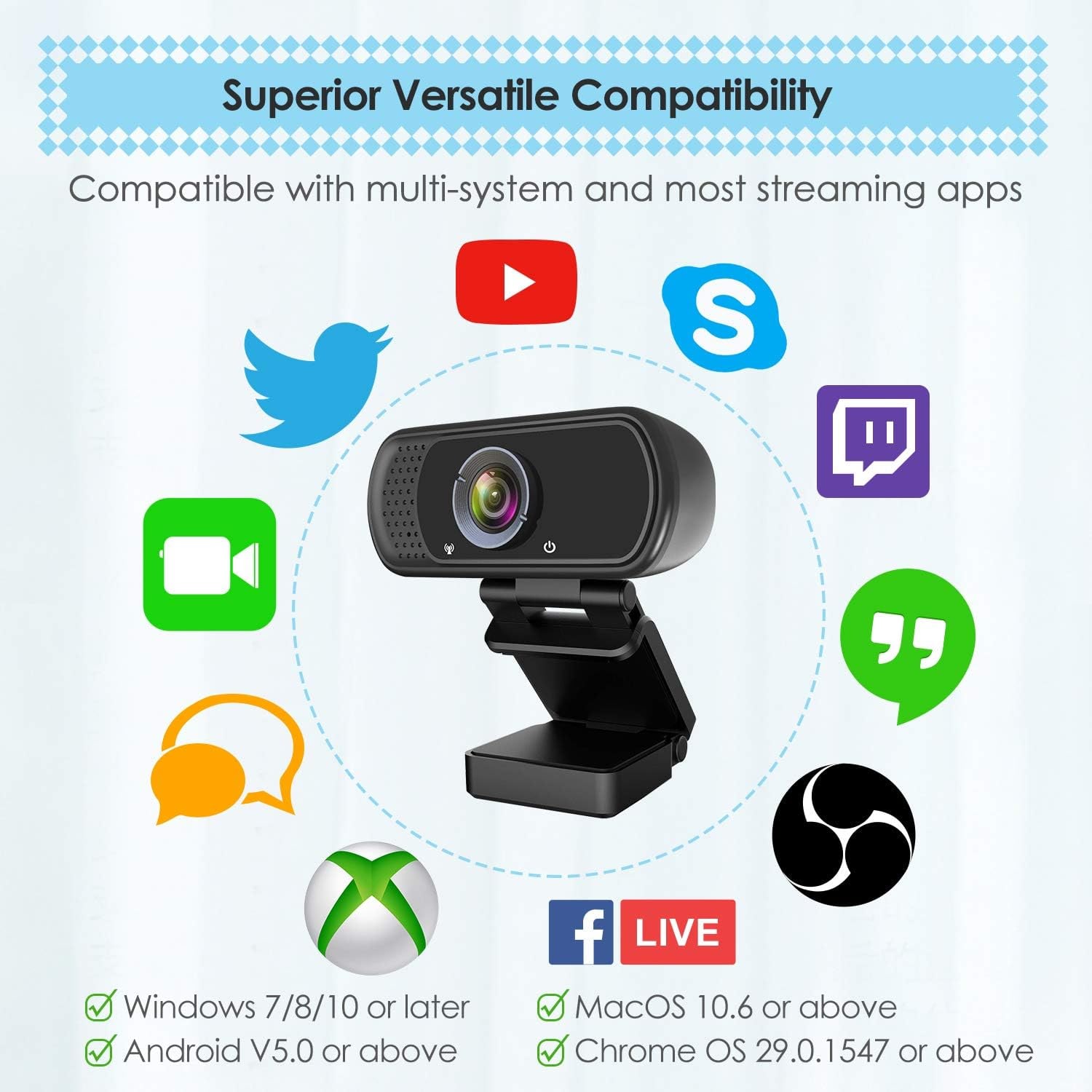
The maker names Skype, OBS, YouTube, Facebook, Twitch, FaceTime, Xbox One and Hangouts, and more. Open your video settings in the app, find the camera dropdown and pick this device. Ask us if you rely on an app that is not named.

Can I use it for live streaming?

Yes. Full HD at 30 frames per second is a common baseline for streaming, and the wide angle helps if you want your desk or background in shot. Many people look for a wide angle webcam for streaming for exactly that reason.

Does it autofocus?

No, the lens is fixed focus, and the maker gives a maximum focal length of 50 centimetres. The upside is that it never hunts for focus in the middle of a sentence. Sit at a normal desk distance and you will be inside the sharp range.

How does it handle a dark room?

It has automatic low light correction and automatic exposure, and the maker says it adjusts colour and brightness on its own. No webcam makes light out of nothing though. A lamp in front of you, not behind you, still makes the biggest difference.

What is the privacy cover for?

It is a separate cover, supplied in the box, that fits over the lens and physically blocks it. The maker's photos show it flipping up to open. When you are not on a call, you flip it down and the lens is covered.

Can I mount it on a standard camera tripod?

The clip is described as tripod ready, and a tripod stand is supplied in the box. If you have a larger tripod of your own, the tripod-ready clip is the part that attaches, so check the fit before buying accessories.

Does it zoom?

It offers digital zoom rather than optical zoom. Digital zoom crops into the image, so you trade some detail for a tighter frame. For most calls, leaving it at the full 110 degree view is the better choice.

What aspect ratio does it shoot?

It records in 16:9 widescreen, which matches how meeting apps and streaming platforms display video. You will not get black bars on the sides in a standard call window.

Is there any image stabilization?

The maker's spec table gives image stabilization as digital. No further detail is given. A steady mount, on the clip or the tripod stand, still does most of the work.

How big is the camera?

Item dimensions are 3.8 in deep by 3.1 in wide by 2.5 in high. That is small enough to sit on a monitor without dominating the top edge.

Can I use it with a smart TV?

The maker names smart TV among the supported platforms, along with Android. Whether it works with your specific TV depends on that TV's USB camera support, so check your TV's manual first.

Will it work with a games console?

The maker names Xbox One among the things it is compatible with, and no other console. Treat any other console as a maybe rather than a given, and plan around a computer if it is essential for you.

Does it need an external power supply?

No. It draws power through the USB connection, so one cable handles both video and power. A powered USB hub helps if you have a lot of devices sharing one port.

Is it waterproof?

No, the maker states it is not water resistant. Keep it indoors and away from kitchen steam, bathroom humidity and rain. Wipe spills off the body with a slightly damp cloth, never the lens.

How do I clean the lens?

Use a dry microfiber cloth and a light circular motion. Avoid alcohol wipes, glass cleaner and paper towel, which can scratch or haze the lens. Keeping the privacy cover closed when idle helps keep the lens clean.

Is this good for online teaching?

It suits it well. The wide angle lets you show a whiteboard or a desk demo, and the built-in mic means one less device to set up before a session. Online teaching is one of the uses the maker names.

Can two people fit in the frame?

Yes, 110 degrees is wide enough for two people sitting side by side at a normal desk distance. Pull back a little further and you can fit a small group. Just remember the edges of a wide lens stretch slightly.

Does it record audio and video to a file?

The camera supplies the feed. Recording is handled by whatever software you use, such as your meeting app or a screen recorder. The maker gives JPEG as the image format and names AAC, MP3, PCM, FLAC and Dolby Digital/AC-3 as supported audio formats.

Am I allowed to record other people on it?

Recording audio and recording other people is covered by federal and provincial law, and the rules differ depending on where you are. Check what applies in your province or territory before you record a meeting or a conversation.

How fast is delivery?

We deliver to addresses across Canada by tracked delivery. Most orders arrive within 4 to 7 business days of the order date, and rural, remote and northern addresses can take a little longer. Delivery is free on orders of $150 or more and a flat $20 under that.

Does it make a good gift?

It does, especially for anyone starting a remote job, studying online or setting up a first streaming desk. It is self-contained, needs no subscription and works straight out of the box. The privacy cover is a nice touch for someone who worries about that.

What if it is not right for me?

Returns are accepted within 14 days of delivery in resaleable condition, so keep the box and the tripod if you are unsure. Get in touch and we will walk you through it. If the issue is a setting rather than the camera, we are happy to help you sort that first.

How to Choose a 1080p Webcam That Actually Looks Good on Calls

6 min read Camera Company

The problem with the camera you already have

Almost every laptop has a camera. Almost none of them are any good. Manufacturers put the lens inside a lid that is a few millimetres thick, which forces a tiny sensor behind a tiny piece of plastic. The result is a soft, noisy picture that falls apart the moment the light drops. You have seen it on calls. Faces look flat, colours drift toward grey or orange, and movement smears.

That is annoying on a chat with a friend. It is a real problem when you are interviewing for a job, teaching a class, presenting to a client or streaming to people who chose to watch you. An external camera is one of the cheapest upgrades you can make to how you come across, and this one is plug and play.

What 1080p at 30 frames per second actually means

Two numbers get quoted on every webcam box. Resolution is how much detail the image holds. Frame rate is how many pictures per second it sends.

1080p means the image is 1920 pixels wide by 1080 tall. That is roughly double the detail of the 720p camera in a typical laptop lid. On a full-screen call it is the difference between readable facial expression and a vague impression of a person.

Thirty frames per second is the smoothness number. At 30fps, hand gestures and head turns look natural. Below that, movement starts to look like a flip book. Higher frame rates exist on premium cameras, but 30fps is the standard that meeting platforms are built around, and most of them compress your video down anyway before it reaches the other end.

This camera does both: 1080p and 30fps, through a CMOS sensor and a glass wide angle lens. The maker also names HD and VGA alongside FHD as display resolutions.

Field of view, and why 110 degrees is a choice

Field of view is how wide the camera sees. Narrow views, around 65 to 78 degrees, frame one person tightly and crop out the mess behind them. Wide views, 90 degrees and up, take in the room.

This one sees 110 degrees. That is firmly in the wide camp. It suits you if two people need to be on screen, if you want to show a desk, a whiteboard or a workbench, or if you sit close to the monitor in a small apartment and a narrow lens would crop your head. It is less ideal if your background is chaotic and you want it gone, though most meeting apps now blur backgrounds in software.

One honest note about wide lenses: they stretch slightly at the edges. If you sit dead centre you will never notice. If you sit off to one side of the frame, shift your chair rather than the camera.

Fixed focus versus autofocus

Autofocus sounds like the better feature, and on expensive cameras it is. On budget cameras it can be a liability. Cheap autofocus motors hunt. You lean forward, the image goes soft for a second, then snaps back. Repeat that forty times in a meeting and it gets distracting.

This camera uses fixed focus, and the maker gives a maximum focal length of 50 centimetres. It is set once and stays there. Sit at normal desk distance and you are inside the sharp zone, with no hunting and no sudden blur. The tradeoff is that holding an object very close to the lens, say a few inches away, will not resolve crisply. If you need close-up product shots, a camera with proper macro focus is a better buy.

Audio, and when the built-in mic is enough

The built-in digital stereo microphone has automatic noise reduction, and the maker says it picks up your voice even at 10ft. For meetings, classes and catch-ups, it is genuinely fine. You can sit at your desk and talk normally.

Where a built-in webcam mic struggles is in a room with hard floors and bare walls, because the mic sits an arm's length away and picks up the echo along with your voice. If that describes your room, a soft rug, a curtain or a few books on a shelf will do more for your audio than any gear purchase. If you are recording content rather than just talking, a dedicated microphone is still worth it eventually. For everything else, one less cable on the desk is a win.

Light does more than any spec

Here is the thing nobody puts on a box. Lighting beats hardware almost every time. A good camera in bad light looks worse than an average camera in good light.

This camera has automatic low light correction and automatic exposure, and the maker says it adjusts colour and brightness on its own. That helps. What helps more is moving your light source in front of you instead of behind you. If you sit with a window at your back, the camera sees a bright rectangle and turns you into a silhouette. Turn your desk ninety degrees so the window is to your side or in front, and the picture transforms. A cheap desk lamp bounced off a white wall does the same job after dark.

Mounting: clip, tripod, or both

You get two options in the box. The adjustable universal clip fits a laptop, a desktop monitor or an LCD monitor, and it adjusts so you can set the camera angle once it is seated. This is the setup most people use, because eye level is where the camera should be.

The included tripod stand matters more than it sounds. Some monitors have a thick bezel, an unusual curve or a mounting arm that a clip cannot grab. Some people want the camera off to the side to show a second screen or a work surface. Some want to point it down at a desk for a demo. A small tripod handles all of that. The 6 feet USB cable gives you enough slack to place the camera where it needs to be rather than where the port happens to be.

Privacy, without the tape

A privacy cover comes in the box and fits over the lens. Flip it down and the lens is physically covered, regardless of what software is running. It is a mechanical answer to a question that software can never fully settle, and it is nicer than the folded sticky note so many people end up using.

It has a practical side too. A covered lens is a lens that is not collecting dust and fingerprints.

On the related subject of recording, keep in mind that recording audio and recording other people is covered by federal and provincial law, and the rules vary by province. If you plan to record calls, check what applies where you are.

Setup and compatibility

Plug and play means what it says. Connect the USB cable, open your app, choose the camera from the dropdown. No additional driver is required.

The maker names Windows 2000, XP, 7, 8 and 10, macOS, Chrome OS, Android and smart TVs, and says it is compatible with Skype, OBS, YouTube, Facebook, Twitch, FaceTime, Xbox One and Hangouts. If something does not appear straight away, the usual fixes are a different USB port, closing another app that has already claimed the camera, and checking your operating system's camera permissions for the app you are using.

Looking after it

There is very little to maintain. Wipe the lens with a dry microfiber cloth and nothing else, since alcohol and glass cleaner can haze the lens. Leave the privacy cover closed between uses. Unplug by the connector rather than yanking the cord, and avoid sharp bends where the cable meets the body, because that is where cheap cables fail first. It is not water resistant, so keep it clear of steam and spills.

The short version

If your laptop camera makes you look worse than you do in person, a 1080p webcam with tripod stand fixes that for very little money and almost no setup. You get full HD at 30 frames per second, a 110 degree view that fits two people or a bit of the room, a built-in stereo mic so you can ditch the headset, automatic exposure and low light correction, a privacy cover, and the choice of clipping to a screen or standing it on the included tripod.

It is a sensible pick for meetings, online classes, streaming and family calls. It is not the tool for macro product photography or studio-grade audio. For the work most of us do on camera every week, it covers the job properly. Point a light at your face while you are at it, and you will look better than half the people on the call.

Browse the shop

Not sure it fits your setup?

Tell us what computer and apps you use and we will confirm whether this webcam is the right match before you order.

Ask us a question

Page summary

This is a 1080p USB webcam supplied with a tripod stand and a privacy cover. It captures full HD video at 30 frames per second using a CMOS sensor and a fixed focus wide angle glass lens with a 110 degree viewing angle and a maximum focal length of 50 centimetres. A built-in digital stereo microphone with automatic noise reduction handles audio. Exposure, white balance and low light correction are automatic, and digital stabilization and digital zoom are supported. It connects by USB with no additional driver and the maker names Windows 2000, XP, 7, 8 and 10, macOS, Chrome OS, Android and smart TVs. Item dimensions are 3.8 in by 3.1 in by 2.5 in with a 1.8m (6 feet) cable. Brand, weight, colour and country of origin are not specified by the maker.