Camera Company
Company
Shop By Category
T&Cs
Shop Online
  • The maker's specifications on every page
  • Free tracked Canada-wide delivery over $150
  • 14-day returns

1080p Webcam with Privacy Cover | USB webcam with microphone | Adjustable field of view webcam

1080p Webcam with Zoom Control and Privacy Cover

$69.99 $83.99 Save $14
  • Full HD 1080p
  • Built-In Microphone
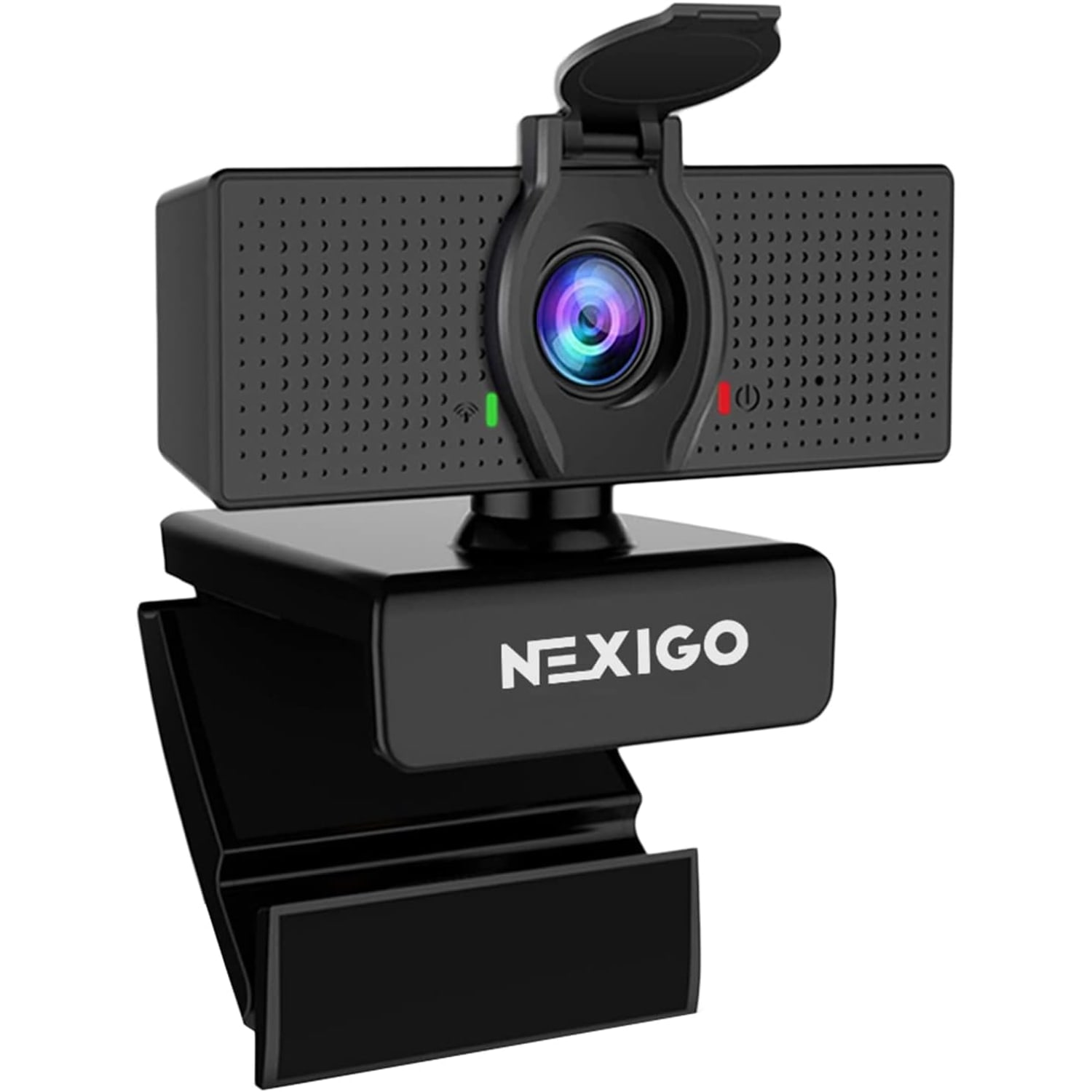
  • Flip-Down Privacy Cover
  • No Drivers Needed

Price: $69.99 $83.99

  • Free tracked Canada-wide delivery on orders $150+, otherwise a flat $20
  • Pay by card or PayPal, handled by the payment provider
  • 14 days to change your mind, plus your statutory rights
Product specifications
Video Resolution1080p Full HD (1920 x 1080)
Frame Rate30 fps
Sensor TypeCMOS
Photo Sensor Size1/3-inch
Effective Still Resolution2.07 MP
Lens TypeWide angle
Focus TypeFixed focus
Viewing AngleUp to 110 degrees
Zoom4x digital (zoom type given as digital, with a 2x optical figure also shown)
Lens3.6mm glass, optimized between 19.6 inches and 13 feet
ColourBlack
Image StabilizationDigital
Image Aspect Ratio16:9
Exposure ControlAutomatic
White BalanceAuto
Shooting ModeAutomatic
Special Features1080p, adjustable FOV, low light correction, privacy cover
ConnectivityUSB 2.0 / USB 3.0
Operating SystemsWindows, macOS, Linux, Android, Chrome OS
Supported Image FormatJPEG
Video Capture FormatASF
Supported Audio FormatsMP3, WAV, AAC
Form FactorCompact
Item Dimensions (D x W x H)2.55 in x 3.14 in x 2.16 in
Model NumberN60
Water ResistanceNot water resistant
Unit Count1
Shipping & returns

Tracked delivery anywhere in Canada. It is free on orders of $150 or more, and a flat $20 below that.

If it is not right for you, send it back within 14 days of delivery in resaleable condition and we refund the price you paid, including standard delivery. That is a voluntary policy we offer on top of your legal rights. You cover the cost of returning it unless the item is faulty.

If it arrives faulty, damaged or not as described, we put it right at no cost to you under the consumer protection law of your province or territory (for example the Ontario Consumer Protection Act, 2002), return postage included.

Shipping details · Refunds and returns

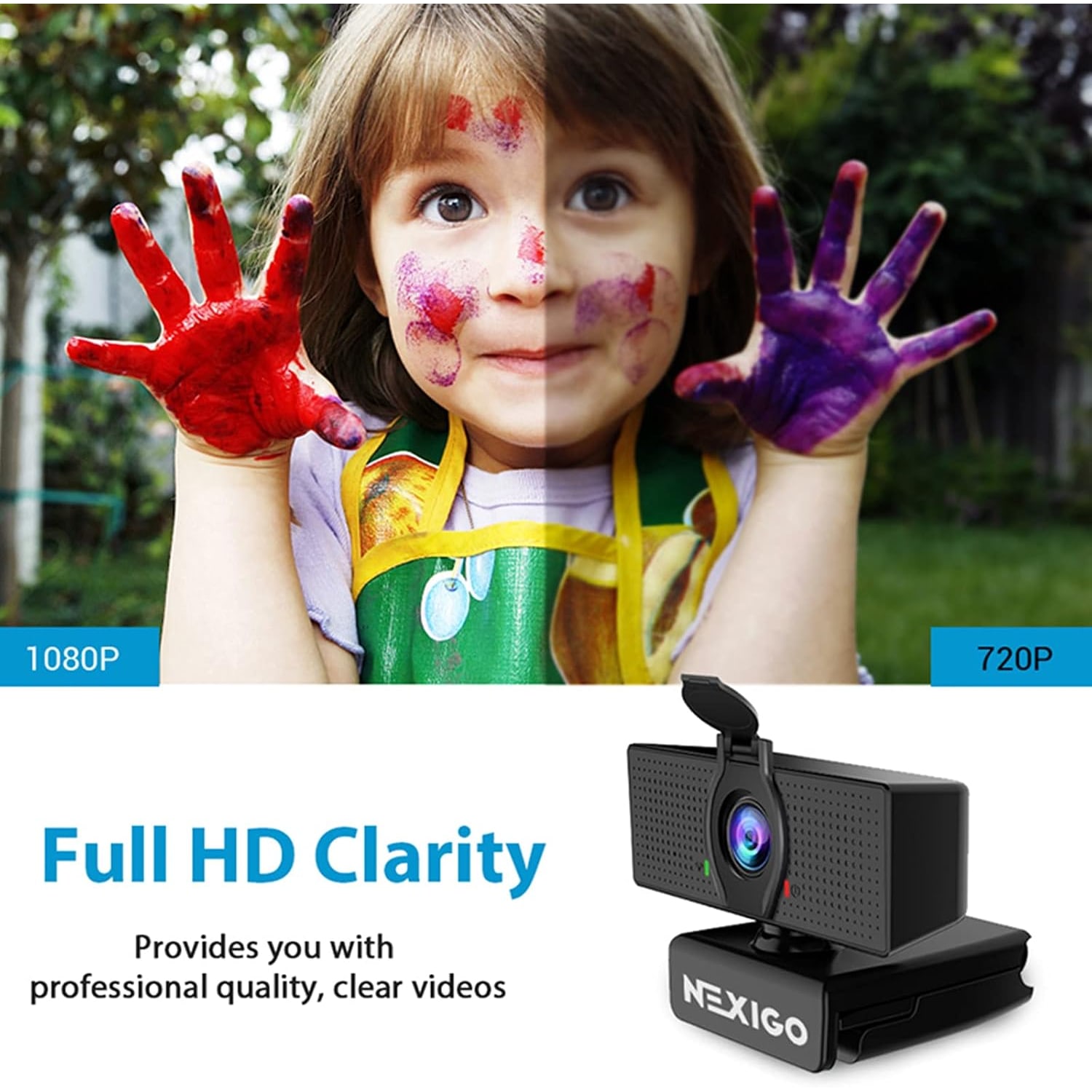
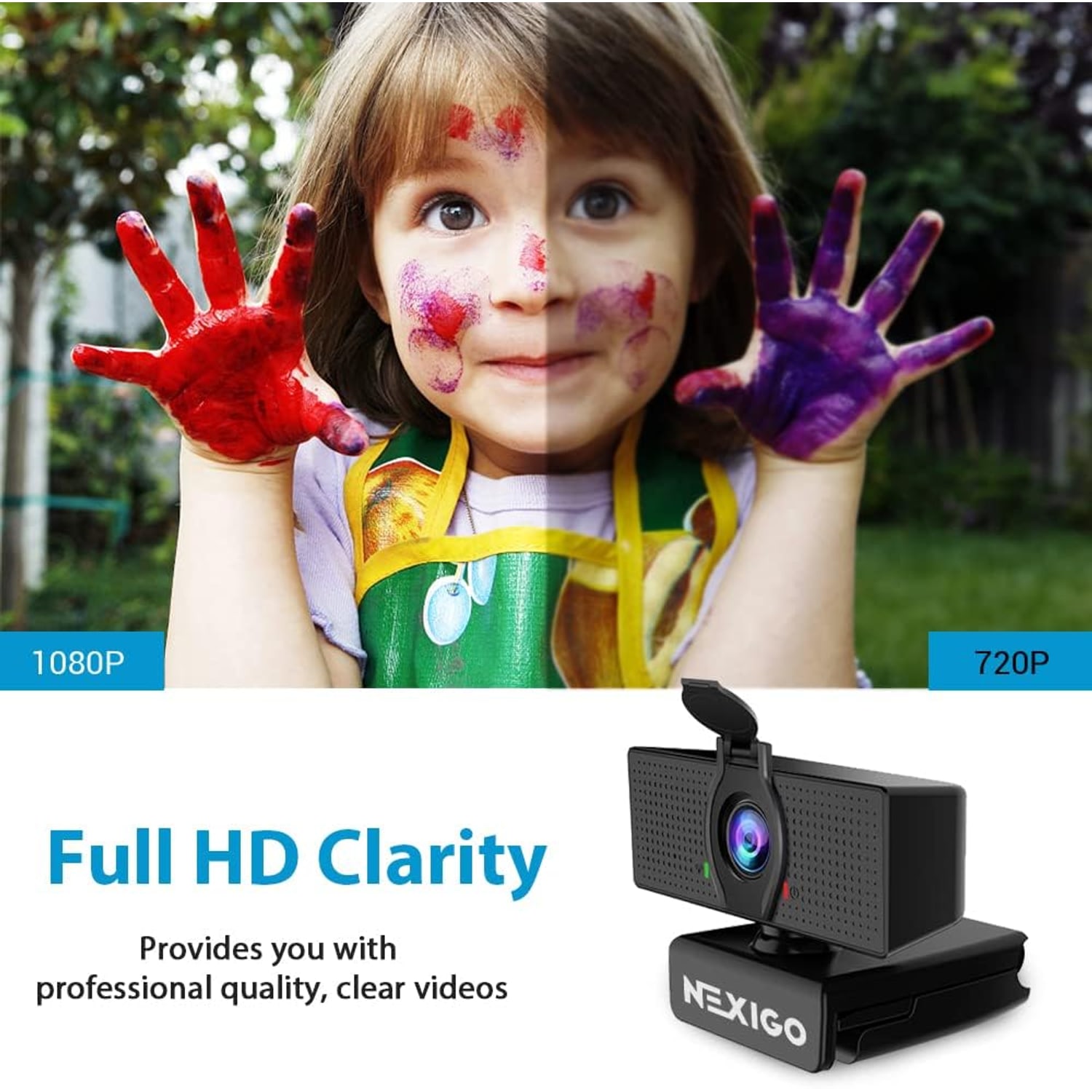
Full HD 1080pRecords and streams at 1920 x 1080 and 30 frames per second.
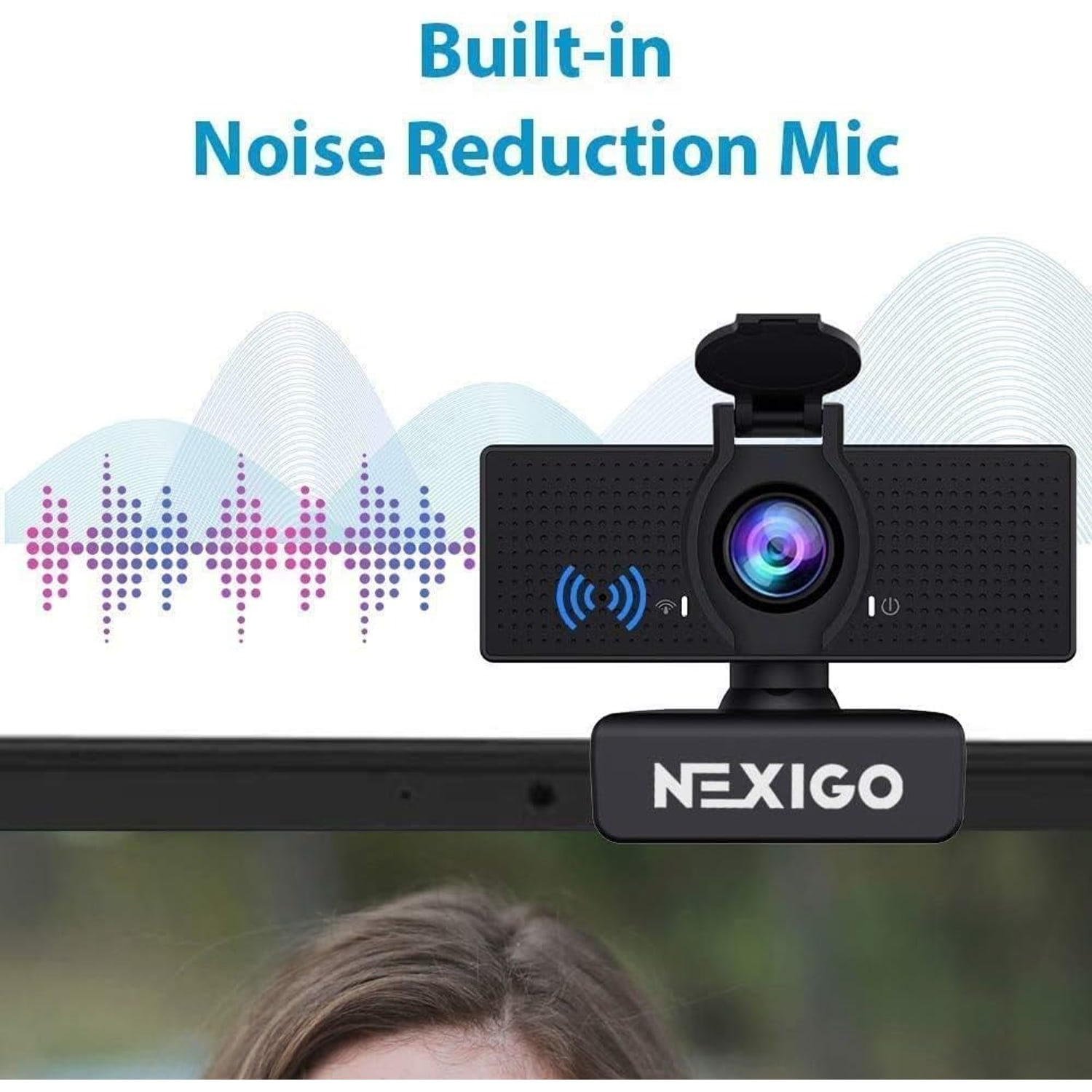
Built-In MicrophoneNoise-cancelling mic picks up your voice without a separate headset.
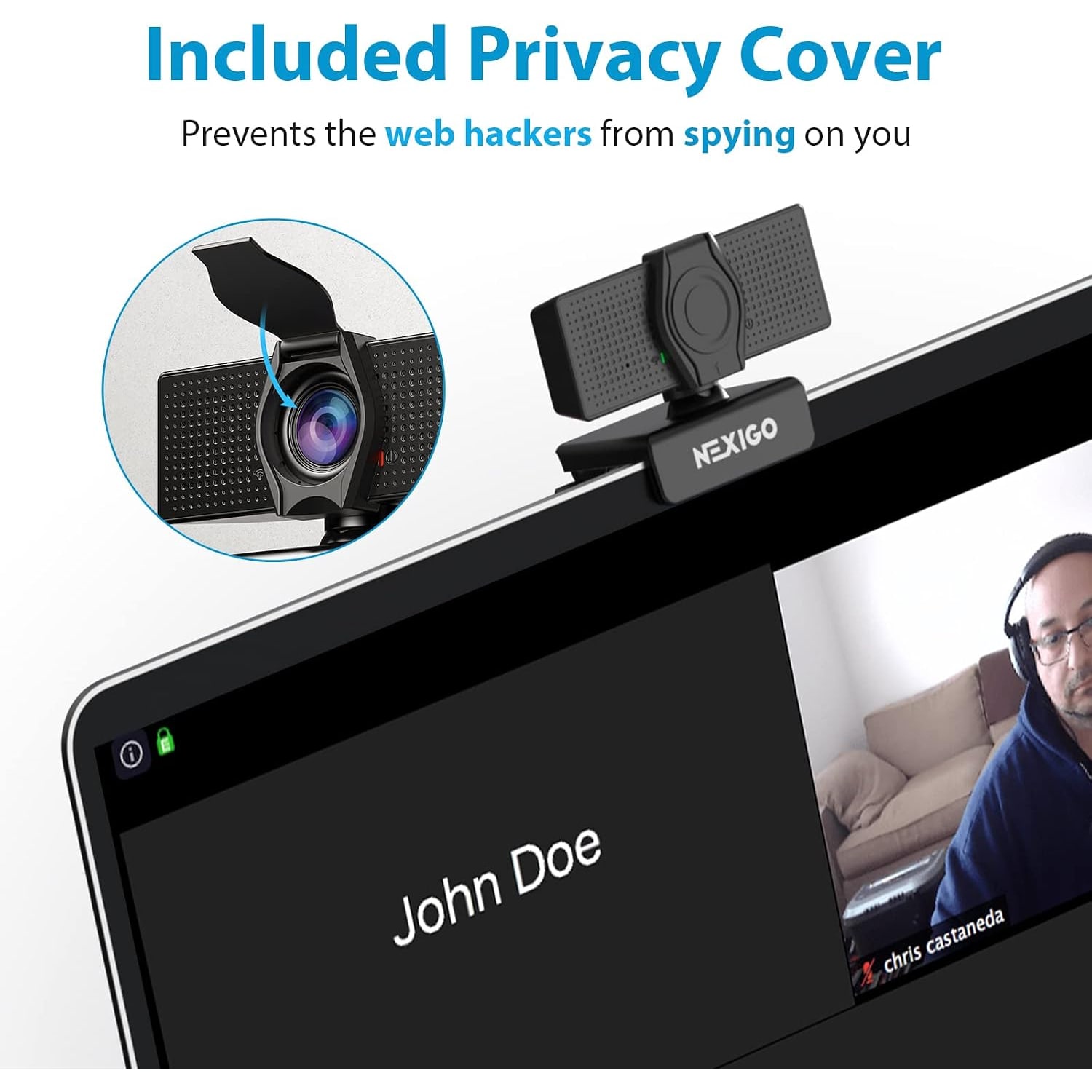
Flip-Down Privacy CoverPhysically blocks the lens the moment you finish a call.
No Drivers NeededConnects over USB 2.0 or 3.0 and is usually ready in about a minute.

Show up sharp on every call with a 1080p webcam with privacy cover that just works the moment you plug it in.

Full HD video at 30fps, a noise-cancelling mic, adjustable field of view up to 110 degrees, digital zoom and a flip-down privacy cover, all over plain USB with no driver install.

Full HD 1080p video at 30 frames per second from a two-megapixel CMOS sensor, so your face stays sharp instead of soft and blocky.

A built-in noise-cancelling microphone captures your voice, which means you can join a meeting without hunting for a headset.

The hinged privacy cover flips down over the lens, giving you a physical block rather than trusting an indicator light.

Adjustable field of view reaches up to 110 degrees for group shots, and digital zoom tightens the frame when you want just your face.

Plugs into USB 2.0 or 3.0 with no driver download and works across Windows, macOS, Linux, Android and Chrome OS.

1080p Webcam with Zoom Control and Privacy Cover

Most laptop cameras were an afterthought. They sit behind a small plastic window, use a tiny sensor, and turn anything less than bright daylight into a grainy mess. This 1080p webcam with microphone replaces that with a dedicated two-megapixel CMOS sensor behind a wide angle lens, recording at 1920 x 1080 and 30 frames per second. The difference is obvious the first time someone sees your face without that soft, smeared look.

1080p Webcam with Zoom Control and Privacy Cover

The 3.6mm glass lens is fixed focus and, per the maker, optimized between 19.6 inches and 13 feet. Because there is no focus motor hunting back and forth, the image stays steady while you talk, gesture or shuffle paper. Low light correction lifts the picture when your room is lit by a single lamp, and digital image stabilization smooths out the small knocks a desk picks up during the day.

1080p Webcam with Zoom Control and Privacy Cover

Framing is adjustable. The viewing angle opens out to 110 degrees when you want a sofa, a whiteboard or three people in shot, and tightens down when you would rather the camera stayed on your head and shoulders. There is 4x digital zoom on top of that, so you can pull in closer without physically moving the camera. For an adjustable field of view webcam at this size, that is a useful amount of control.

1080p Webcam with Zoom Control and Privacy Cover

Audio comes from a built-in noise-cancelling microphone. It will not replace a studio mic, but it keeps keyboard clatter and room hum down far enough that colleagues can follow you on a call. Pair that with the hinged privacy cover and you have a camera you can leave clipped to your monitor all week. Flip the cover down and the lens is physically blocked, which is a far more convincing answer than an LED you have to trust.

1080p Webcam with Zoom Control and Privacy Cover

Setup is the easy part. It connects over USB 2.0 or USB 3.0, needs no driver download, and is usually recognized within about a minute on Windows, macOS, Linux, Android or Chrome OS. The maker's notes list Xbox, PS4 and PS5 as not compatible. Once connected it shows up as a standard camera and microphone in conferencing apps, browsers, broadcasting software and recording tools, so there is nothing to configure beyond picking it from a dropdown.

Not sure yet? That is fine.

A camera has to suit the job you bought it for, and you cannot always judge that from a photograph. If it is not right for you, send it back within 14 days of delivery in resaleable condition and we refund the price you paid, including standard delivery. That is a voluntary policy we offer on top of your legal rights.

If it turns up faulty, damaged or not as described, that is on us. The consumer protection law of your province or territory covers you, and we pay the return postage. Read the full detail on our refunds and returns page, or ask us anything before you order.

Frequently Asked Questions

What is this product?

It is a compact USB webcam that records and streams Full HD 1080p video at 30 frames per second. It includes a built-in noise-cancelling microphone and a hinged privacy cover that flips down over the lens. The model number is N60.

Do I need to install software or drivers?

No separate driver download is required. It uses the standard USB camera support already built into Windows, macOS, Linux, Android and Chrome OS. Most people have it working in about a minute from plugging it in.

What resolution does it record at?

Video capture is 1080p, which is 1920 x 1080 pixels, at 30 frames per second. Still images come from a 2.07 megapixel effective resolution. The aspect ratio is 16:9.

Does it have a microphone built in?

Yes, there is a built-in noise-cancelling microphone. It reduces background room noise so your voice carries more clearly on calls. You can still select a separate headset or desk mic in your app if you prefer.

How wide is the field of view?

The viewing angle reaches up to 110 degrees, which is wide enough to include more than one person or a section of the room behind you. The field of view is adjustable, so you can narrow it when you want a tighter head-and-shoulders frame. That flexibility is what makes it one of the best wide angle webcam for conference rooms options at this size.

What kind of zoom does it have?

The maker gives the zoom type as digital, with 4x digital zoom, and also shows a 2x figure under optical zoom. The lens is a fixed focus 3.6mm glass lens, so we describe the zoom as digital. Digital zoom crops into the image, which gets you closer but softens fine detail as you push it.

Does it work with Zoom, Skype and Teams?

The maker names Zoom, Skype and Teams for conferencing and video calling, and says no additional drivers are required. Choose it from the camera dropdown and the mic dropdown in your settings. No extra configuration is normally needed.

Will it work with a game console?

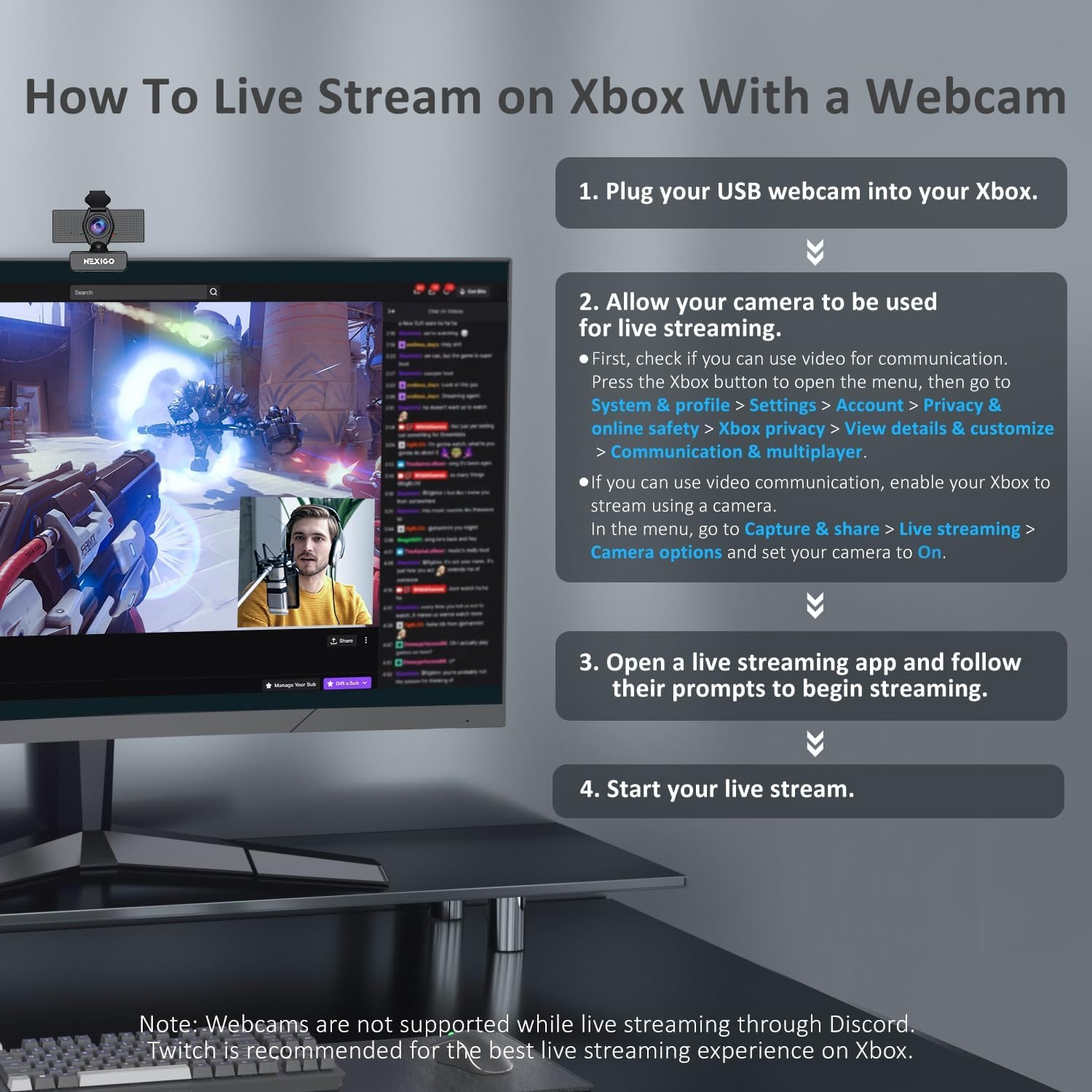
The maker's compatibility notes say it is not compatible with Xbox, PS4 or PS5. One of the maker's own photos shows steps for live streaming on an Xbox, so the two do not agree. Buy it for a computer, which is what the compatibility notes cover.

Which operating systems are supported?

The maker gives Mac OS X 10.7 and higher, Windows 7, 8, 10 and 11, Android 4.0 or higher, Linux 2.6.24, Chrome OS 29.0.1547 and Ubuntu 10.04 or above. It is a good pick if you are after the best webcam for mac and windows and swap between the two. Compatibility depends on your device offering USB camera support.

Is it a plug and play webcam?

Yes, it connects over USB 2.0 or USB 3.0 and is recognized without a driver install. That makes it one of the best plug and play webcam choices for people who do not want to deal with setup. You simply pick it in your app and start the call.

How does the privacy cover work?

A small hinged cover flips down over the front of the lens. Closed, it physically blocks the lens while the webcam is not in use. Flip it up again when you need the camera.

Does the privacy cover block the microphone too?

No, the cover sits over the lens only. If you want the mic silenced, mute it in your conferencing app or in your system sound settings. Many apps show a clear mute indicator while you are on a call.

Is it good in a dimly lit room?

It includes low light correction, which lifts the image when the room is not brightly lit. It still performs better with some light on your face. For the best low light webcam for home office results, put a lamp in front of you rather than behind you.

Does it have autofocus?

No, it uses fixed focus. The maker says the 3.6mm glass lens is optimized between 19.6 inches and 13 feet, so you stay sharp while sitting normally at a computer. Fixed focus also means no distracting focus hunting mid-sentence.

How far away should I sit?

The maker gives the optimized range as 19.6 inches to 13 feet. Sitting closer than that can soften the image because the focus is fixed. If you move further back, use the zoom to tighten the frame.

What are the dimensions?

The item measures 2.55 inches deep by 3.14 inches wide by 2.16 inches high. That is small enough to sit on a monitor without dominating it. The weight is not specified by the maker.

What colour is it?

The product details list the colour as black. Other colour options are not specified by the maker.

Can I use it for streaming or recording?

Yes. It appears as a standard camera source in broadcasting and recording software, so you can use it for live streams, screen recordings and video messages. Video capture format is listed as ASF and still images as JPEG.

Will it mount on a monitor or a laptop lid?

The compact form factor is designed to sit on top of a display. Make sure the top edge of your screen is flat enough for the clip base to grip.

Can I use it on a tripod?

Tripod thread details are not specified by the maker. If you need tripod mounting, check the base of the unit when it arrives. A small desktop stand is an easy alternative.

Does it support image stabilization?

Yes, digital image stabilization is listed. That helps smooth out small desk knocks and vibrations during a call. It is not designed for handheld shooting.

How do I clean the lens?

Use a dry microfiber cloth and light pressure. Do not spray cleaner directly onto the lens or use alcohol wipes, solvents or abrasive cloths. Dust the body with the same soft cloth.

Is it water resistant?

No, it is listed as not water resistant. Keep it away from drinks, sinks, steam and damp window sills. Wipe up any spills nearby before they reach the cable.

Does it need a power adapter?

No, it draws power through the USB connection. One cable handles both power and data. If you use a USB hub, an externally powered hub gives the most reliable results.

Can several people share one camera for a meeting?

Yes, the wide field of view up to 110 degrees makes it workable for a small group around a table. Place it centrally and check the framing before the meeting starts. For larger rooms, a dedicated room system is a better fit.

Is it suitable for online classes?

It is a sensible pick for the best webcam for online classes because it is simple to connect and the mic is built in. Students only need to select it once in their class platform. The privacy cover gives an easy way to step away between sessions.

What about the audio formats it supports?

Supported audio formats are listed as MP3, WAV and AAC. In practice your conferencing or recording app decides the final format. The webcam simply supplies the microphone input.

How is it delivered and how long does it take?

Delivery is tracked to any Canadian address. Allow 4 to 7 business days from the order date, and a little longer for rural, remote and northern addresses. Orders of $150 or more are delivered free, and smaller orders pay a flat $20.

Does it make a good gift?

Yes, it suits anyone who works from home, studies remotely or records video, and it needs no technical setup. The privacy cover is a nice touch for people who are cautious about cameras. It also travels well because of the compact size, which makes it one of the best compact webcam for travel picks.

What if it is not right for me?

Returns are accepted within 14 days of delivery as long as the item is in resaleable condition with its packaging. Get in touch with our team and we will walk you through the process. If something is not behaving as described, message us first and we will try to fix it before you send anything back.

How to Choose a 1080p Webcam for Calls, Classes and Streaming

6 min read Camera Company

The problem with the camera you already have

Almost every laptop has a camera, and almost nobody likes how they look on it. The sensor is tiny because it has to fit inside a thin lid. The lens sits behind a plastic window that scratches. There is usually no real low light handling, so the moment your room dips below bright daylight the picture turns grainy and your face goes soft.

Then there is the angle. A laptop camera points up at you from below desk height, which is the least flattering view there is. If you prop the laptop on books to fix the angle, the keyboard is suddenly unusable. If you use an external monitor, the laptop camera is pointing somewhere off to the side entirely.

A separate USB camera solves all of that at once. It sits where you want it, at the height you want, with a bigger sensor and a proper lens in front of it. That is really the whole argument for a 1080p webcam with microphone, and it holds whether you are in three meetings a day or just want to look present at a weekly check-in.

What 1080p actually buys you

Resolution gets quoted a lot and understood very little. 1080p means 1920 x 1080 pixels, and at 30 frames per second that is a smooth, detailed picture for anything happening at a desk. Faces hold their edges. Text on a whiteboard behind you stays legible. Movement looks natural instead of stuttering.

Here is the part people miss. Most conferencing platforms compress what you send, sometimes heavily, depending on bandwidth and how many people are in the call. Starting with a clean 1080p signal means that after compression you still look fine. Starting with a poor signal means the compression has nothing good to work with, and you end up as a blurry rectangle.

The sensor matters just as much as the number. This one uses a 1/3-inch CMOS sensor with an effective still resolution of 2.07 megapixels. That size lets in considerably more light than a laptop lid sensor, which is the real reason the picture looks better in an ordinary room.

Field of view, and why adjustable matters

Field of view decides how much of your world ends up on screen. Narrow puts you in a tight head-and-shoulders frame with the background mostly cropped out. Wide shows the room.

This camera opens out to 110 degrees, and the field of view is adjustable. That flexibility is worth more than a fixed wide angle. On a solo call from a home office, wide means everyone sees your laundry pile and your bookshelf. Narrow in and the shot is just you. Then when two colleagues join you at the same desk, open it back out so everyone fits.

There is zoom on top of that. The maker gives the zoom type as digital at 4x, and also shows a 2x optical figure. Digital zoom crops into the image, which gets you closer at the cost of some sharpness. Treat it as the extra nudge when you are slightly too far back.

Light is the thing nobody tells you about

If you only change one thing about your setup, change your lighting. No camera, at any price, can invent light that is not there.

This model includes low light correction, which lifts the exposure when the room is dim. It genuinely helps on grey afternoons and evening calls. But it is working with what it has, and the easiest win is still free. Put a light source in front of you, not behind you. A desk lamp bounced off a wall near your screen does more for your image than any setting in your software.

The classic mistake is sitting with a bright window behind you. The camera reads all that light, drops the exposure to cope, and turns you into a silhouette. Turn your desk ninety degrees so the window is to one side and the difference is immediate.

Auto exposure and auto white balance handle the rest. You do not need to fiddle with manual settings for a standard call.

The microphone question

A built-in noise-cancelling microphone covers most everyday needs. It picks up your voice, knocks down room hum and keyboard noise, and means you can join a call without digging a headset out of a drawer. For meetings, classes and casual recording, that is plenty.

If you are recording a podcast, narrating a tutorial or streaming regularly, a dedicated microphone will always sound better than one built into a camera. That is not a flaw in the camera, it is physics. A mic a few inches from your mouth beats one three feet away.

The good news is that you can mix and match. Pick the webcam as your video source and a separate mic as your audio source in the same app. Nothing stops you doing that, and plenty of people do.

The privacy cover is not a gimmick

People stick tape over laptop cameras for a reason. An indicator light is software. A cover is physics.

The hinged cover on this model flips down over the lens and stays there until you move it. When it is closed, the lens is blocked no matter what is running in the background. That is why a USB webcam with privacy cover is an easy recommendation for shared offices, family computers and anyone who likes the camera left plugged in permanently.

One point worth knowing: the cover blocks the lens, not the microphone. If you want audio silenced as well, mute it in your app or your system sound settings. Most conferencing software shows a clear mute indicator once you do.

Setting it up

This is the straightforward part. It connects over USB 2.0 or USB 3.0 and needs no driver download. Windows, macOS, Linux, Android and Chrome OS all recognize it through their standard camera support. Most people are up and running in about a minute.

A few practical notes. Plug directly into your computer where you can, because unpowered USB hubs are the usual cause of flaky camera connections. If you must use a hub, pick one with its own power supply. And the maker's compatibility notes list Xbox, PS4 and PS5 as not compatible.

In your app, you may have to select the camera manually the first time. Open settings, find the camera dropdown, pick it. Do the same in the microphone dropdown if you want to use the built-in mic. After that it should be remembered.

Where to put it

Monitor top edge, centred, is the standard answer and it is standard for a reason. It puts the lens close to where your eyes naturally go, so you appear to be looking at the person you are speaking to.

If your monitor sits low, the camera will shoot slightly down at you, which is more flattering than shooting up. If your monitor sits high, consider lowering it. Eye level with the lens is the sweet spot.

Watch what is behind you. A plain wall is fine. A doorway into a busy kitchen is not. Since the field of view is adjustable, you can narrow the frame to crop out a distracting background rather than rearranging the furniture.

Looking after it

There is very little to do. Dust the body with a dry soft cloth. Clean the lens with a dry microfiber cloth and light pressure, never with sprays, alcohol wipes or anything abrasive.

It is not water resistant, so keep drinks away from it and do not leave it on a damp window ledge. When you unplug the USB cable, pull the connector rather than the cord. And when you are finished for the day, flip the privacy cover closed. It keeps dust off the lens as well as doing its main job.

The short version

If you are on video calls regularly and still using whatever came in your laptop lid, a dedicated camera is one of the cheapest upgrades to how you come across at work. This one gives you Full HD 1080p at 30fps from a 1/3-inch CMOS sensor, an adjustable field of view up to 110 degrees, 4x digital zoom, low light correction, a noise-cancelling mic and a flip-down privacy cover.

It plugs in over USB, needs no drivers, and works across Windows, macOS, Linux, Android and Chrome OS. The maker's notes rule out Xbox, PS4 and PS5, and it is not a replacement for a studio microphone if you record professionally. For meetings, classes, streams and everyday video calls, it covers the job without asking anything of you beyond picking it from a dropdown.

Browse the shop

Not sure if this is the right webcam?

Tell us how you plan to use it and we will point you to the setup that fits your desk and your software.

Ask us a question

Page summary

This is a compact USB webcam, model N60, that records Full HD 1080p video (1920 x 1080) at 30 frames per second using a 1/3-inch CMOS sensor with an effective still resolution of 2.07 MP. It has a fixed-focus wide angle lens with a viewing angle up to 110 degrees, 4x digital zoom (a 2x optical figure is also shown by the maker), digital image stabilization, low light correction, automatic exposure and auto white balance, with a 16:9 aspect ratio. A built-in noise-cancelling microphone handles audio and a hinged privacy cover blocks the lens when not in use. It connects by USB 2.0 or 3.0 with no driver install and works with Windows, macOS, Linux, Android and Chrome OS. The maker's notes list Xbox, PS4 and PS5 as not compatible. Measures 2.55 x 3.14 x 2.16 inches. Colour is black. Brand, weight and country of origin are not specified by the maker.