Camera Company
Company
Shop By Category
T&Cs
Shop Online
  • The maker's specifications on every page
  • Free tracked Canada-wide delivery over $150
  • 14-day returns

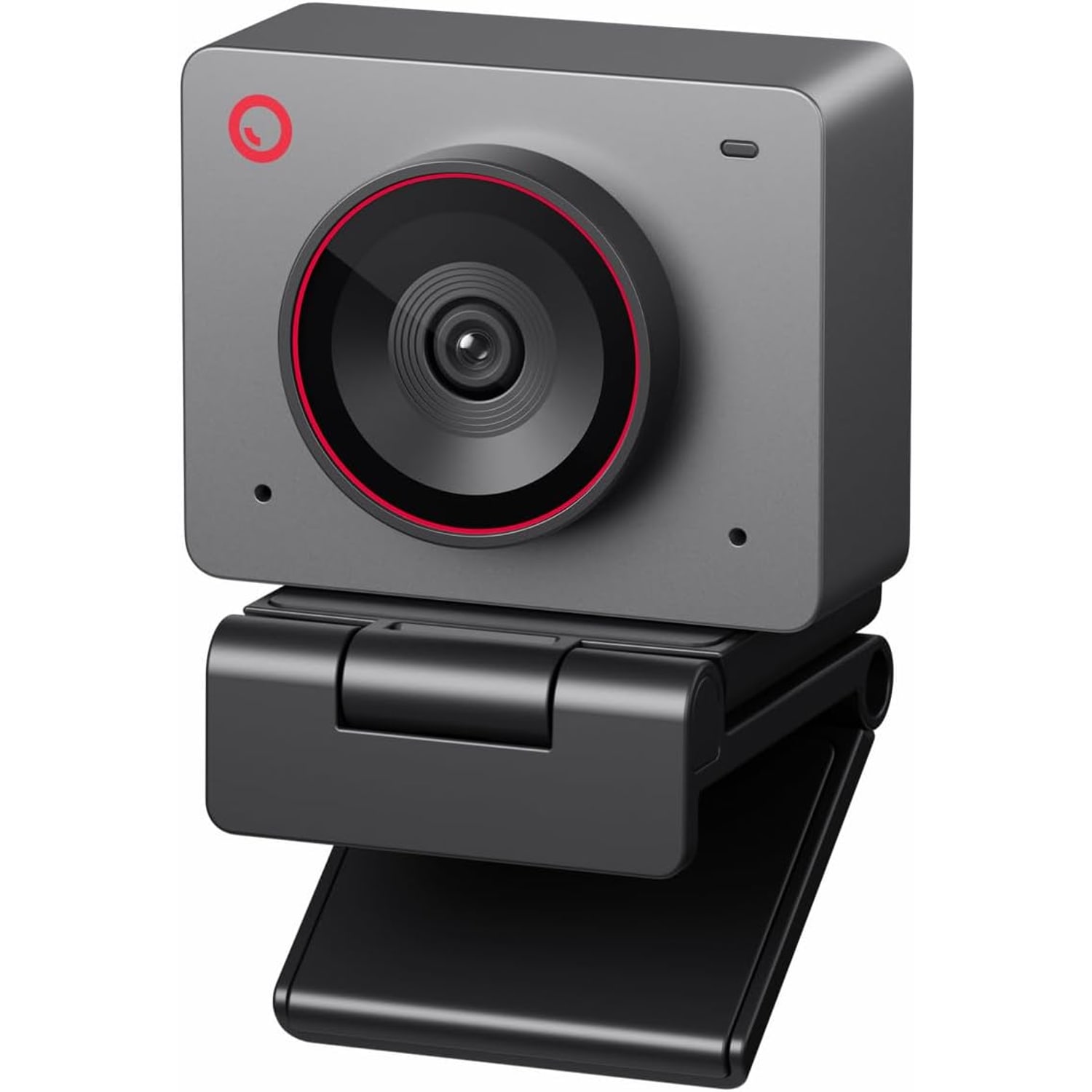
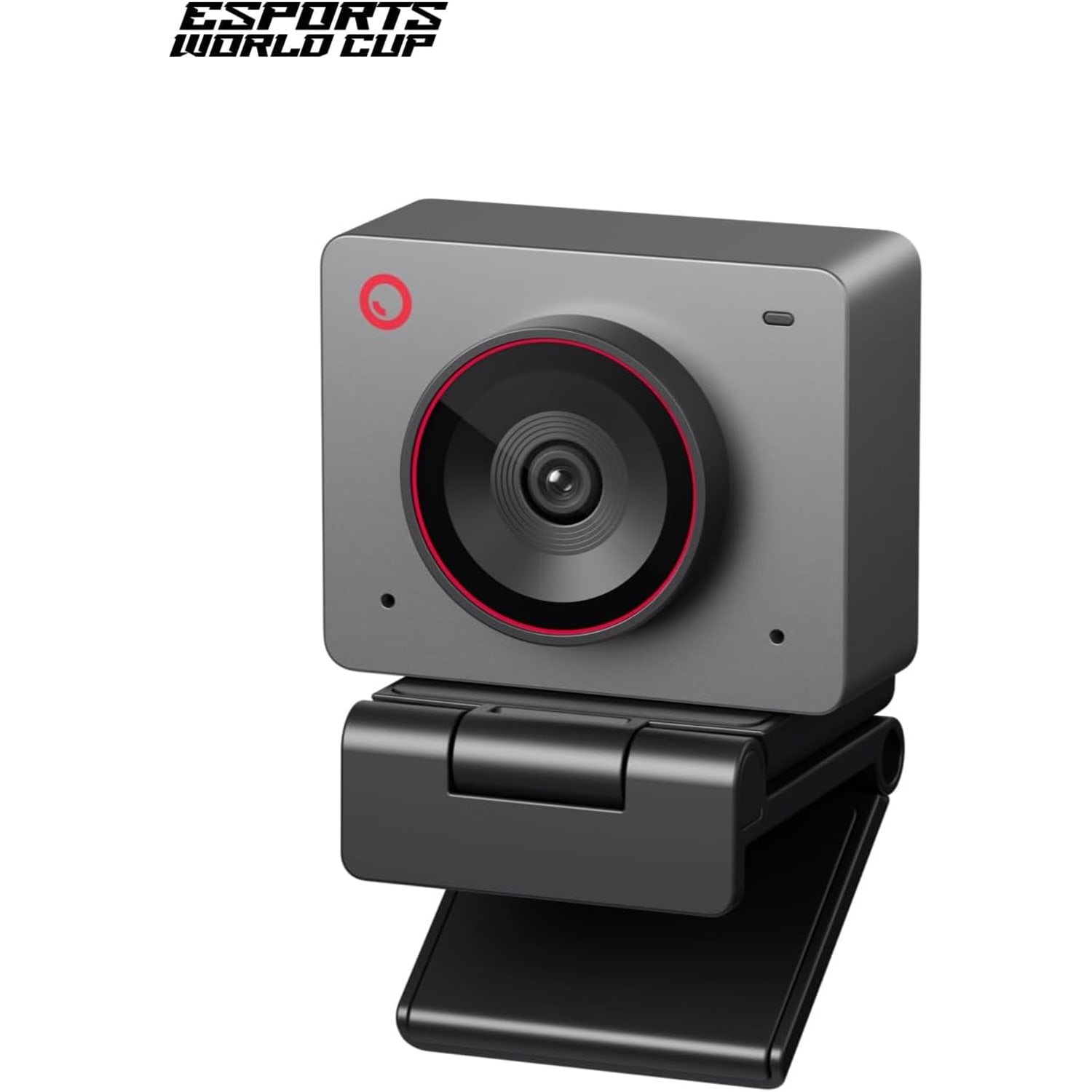
4K Webcam with AI Framing | Autofocus 4K web camera | Webcam for streaming and meetings

Compact 4K Webcam with AI Framing

$297.99 $357.99 Save $60
  • True 4K Detail
  • AI Framing
  • Gesture Control
  • 40.5 g Body

Price: $297.99 $357.99

  • Free tracked Canada-wide delivery on orders $150+, otherwise a flat $20
  • Pay by card or PayPal, handled by the payment provider
  • 14 days to change your mind, plus your statutory rights
Product specifications
Model NumberMEET 2
Model NameMEET 2 Grey
ColourGrey
Camera TypeWebcam
Video Resolution4K UHD
Video Capture FormatMP4
File FormatMJPEG / YUV
Effective Still Resolution48 MP
Effective Video Resolution48 MP
Image Aspect Ratio16:9
Sensor TypeCMOS
Photo Sensor Size1/2 inch
Lens TypePrime
Focus TypeAuto focus
Minimum Focal Length10
Maximum Focal Length26
Maximum Aperturef/1.8
Minimum Aperture2.8 mm
Digital Zoom4x
Zoom TypeDigital
Exposure ControlAutomatic
White BalanceAuto
Shooting ModesLandscape, portrait, upside down
Supported Image FormatsJPEG, PNG, GIF
Supported Audio FormatsAAC, MP3, PCM
ConnectivityUSB (USB-C)
In The BoxUSB cable
Compatible DevicesLaptop, personal computer, tablet
Onboard StorageNone, records to your PC or Mac
Form FactorUltra compact
StyleMinimalist
Item Weight40.5 g
Image StabilizationNo
Water ResistanceNot water resistant
Unit Count1
Weight40.5 g
Shipping & returns

Tracked delivery anywhere in Canada. It is free on orders of $150 or more, and a flat $20 below that.

If it is not right for you, send it back within 14 days of delivery in resaleable condition and we refund the price you paid, including standard delivery. That is a voluntary policy we offer on top of your legal rights. You cover the cost of returning it unless the item is faulty.

If it arrives faulty, damaged or not as described, we put it right at no cost to you under the consumer protection law of your province or territory (for example the Ontario Consumer Protection Act, 2002), return postage included.

Shipping details · Refunds and returns

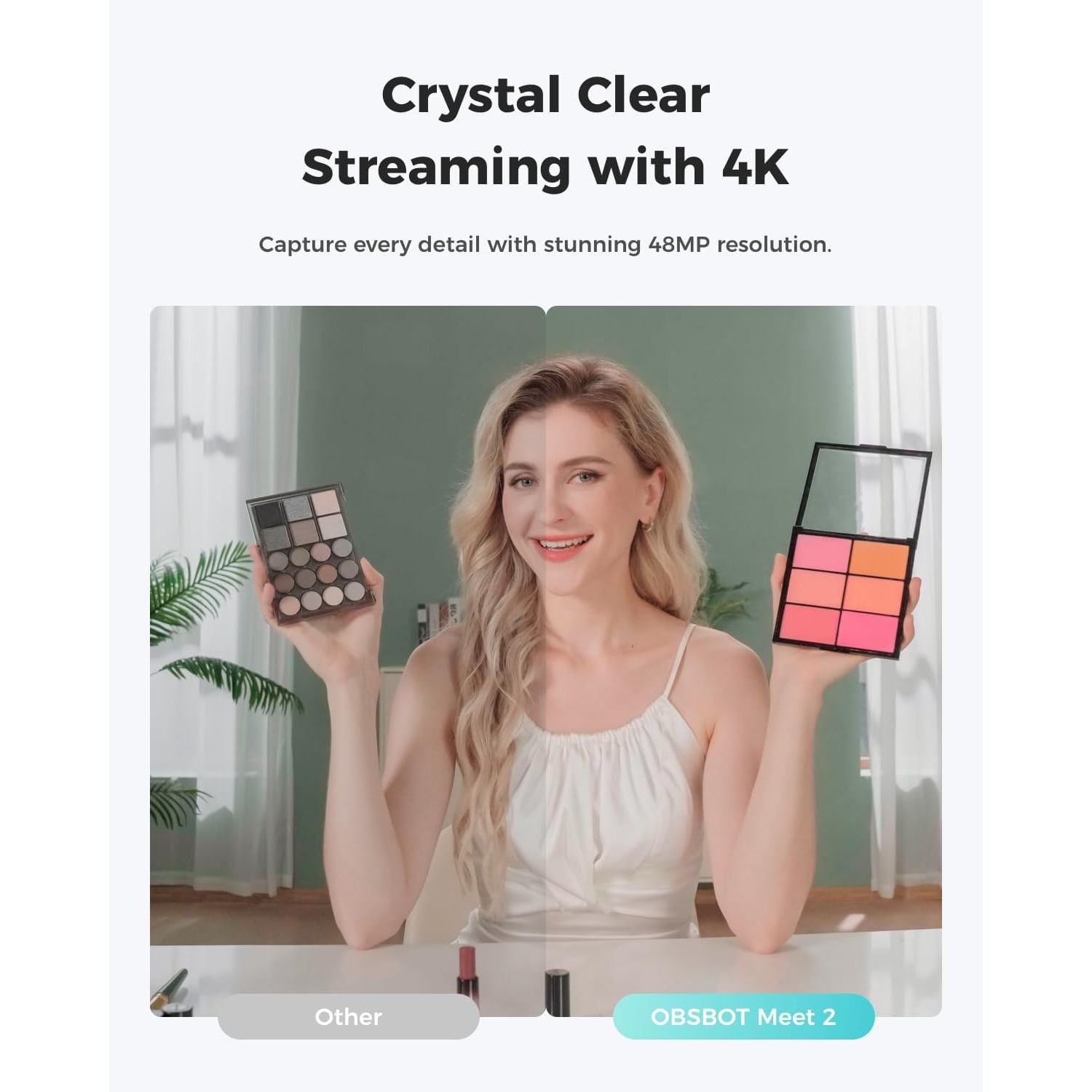
True 4K DetailUHD resolution with a 1/2-inch CMOS sensor for a clearer, brighter picture.
AI FramingKeeps you centred in shot as you shift, lean back or move around.
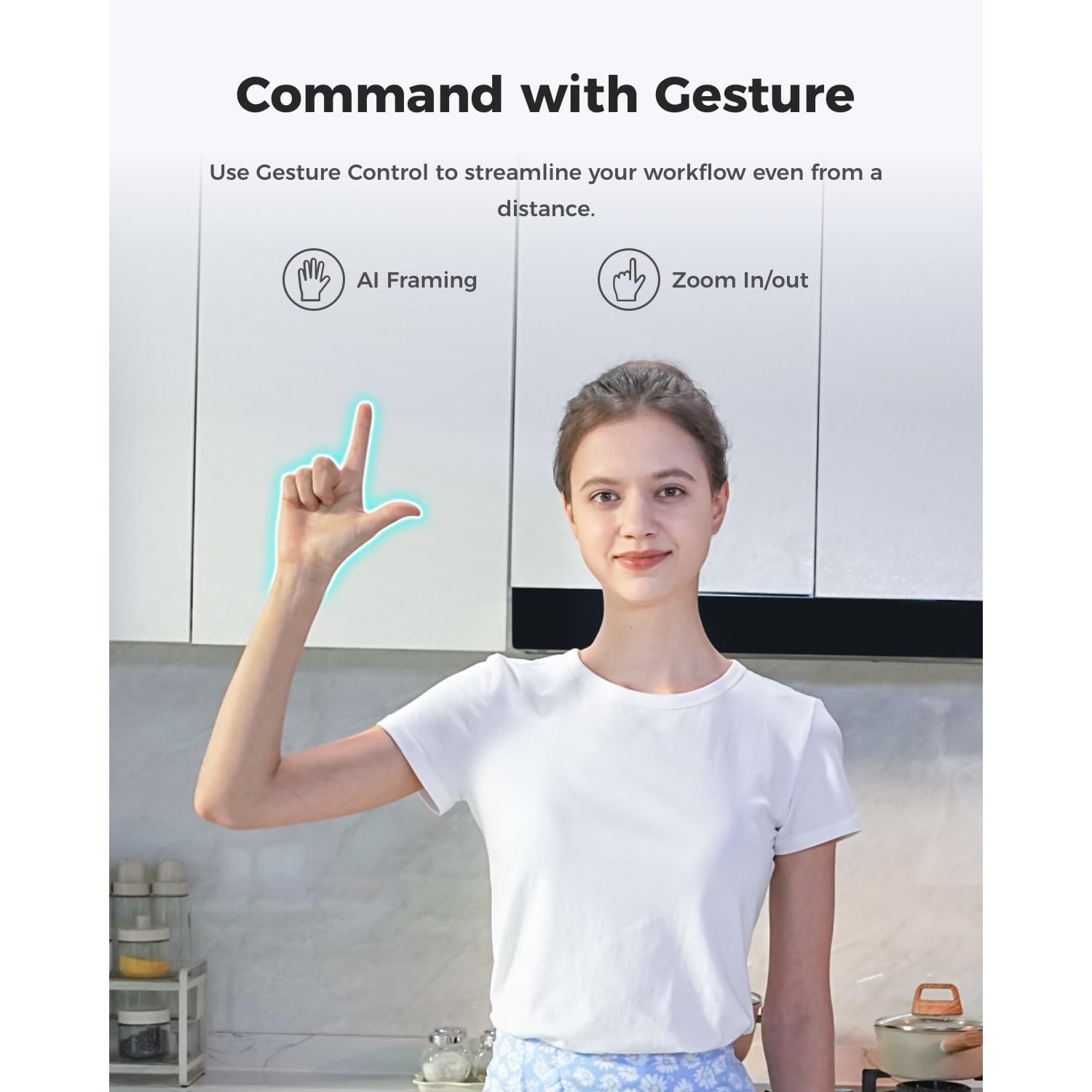
Gesture ControlSwitch framing on or off and adjust zoom with a hand signal.
40.5 g BodyUltra compact form factor that drops into a laptop bag pocket.

Show up on camera looking sharp, centred and natural with a 4K webcam with AI framing that travels in your pocket.

A 1/2-inch CMOS sensor, autofocus prime lens, gesture control and dual noise-cancelling mics in a plug-and-play USB body that weighs just 40.5 g.

A 4K webcam with AI framing that keeps you centred in the shot without you having to think about where you are sitting.

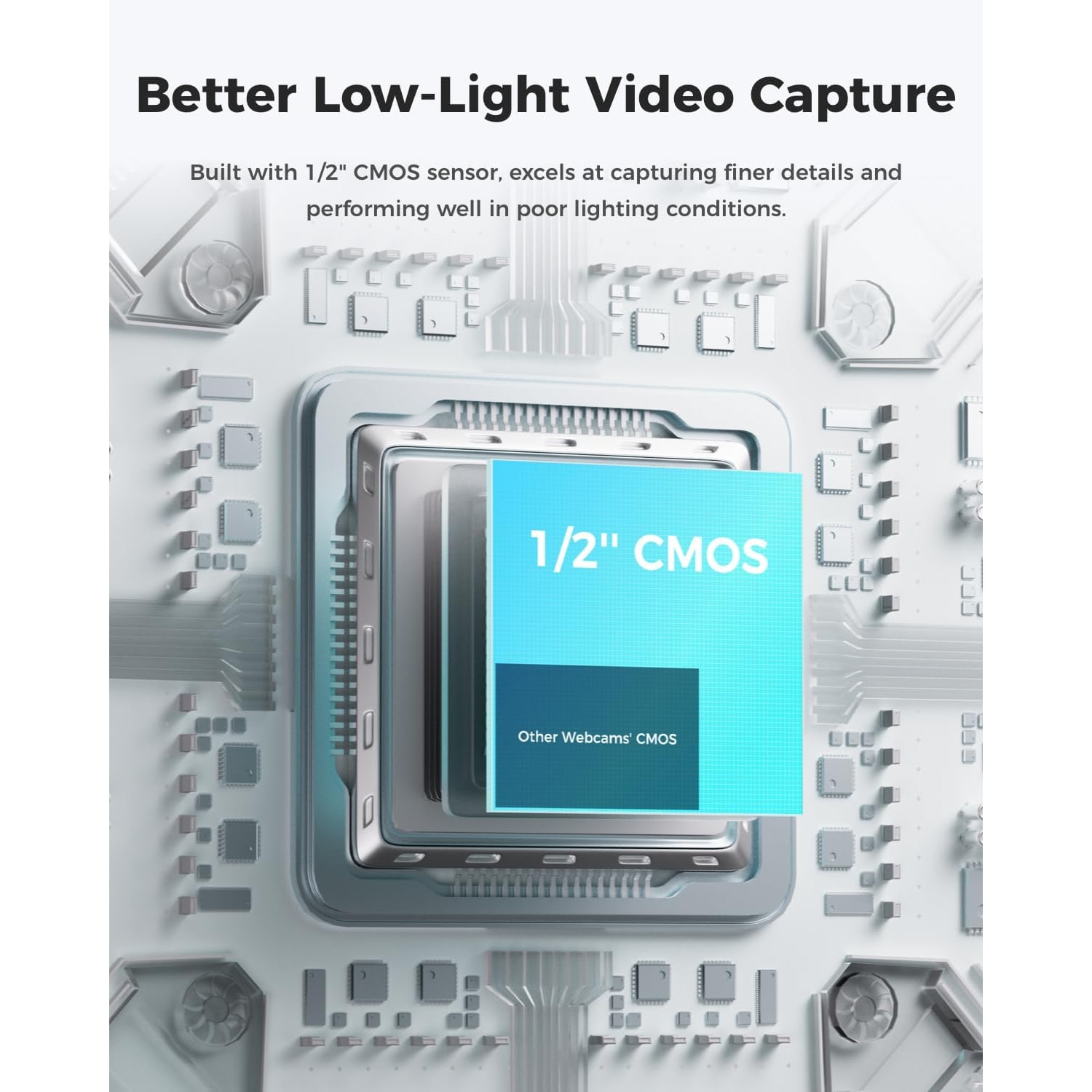
The 1/2-inch CMOS sensor gathers more light than the tiny sensors in most built-in laptop cameras, so faces look brighter and less grainy.

Autofocus with a prime lens holds you sharp when you lean in to read something or sit back in your chair.

Dual omni-directional noise-cancelling mics pick up your voice and cut down on keyboard clatter and background hum.

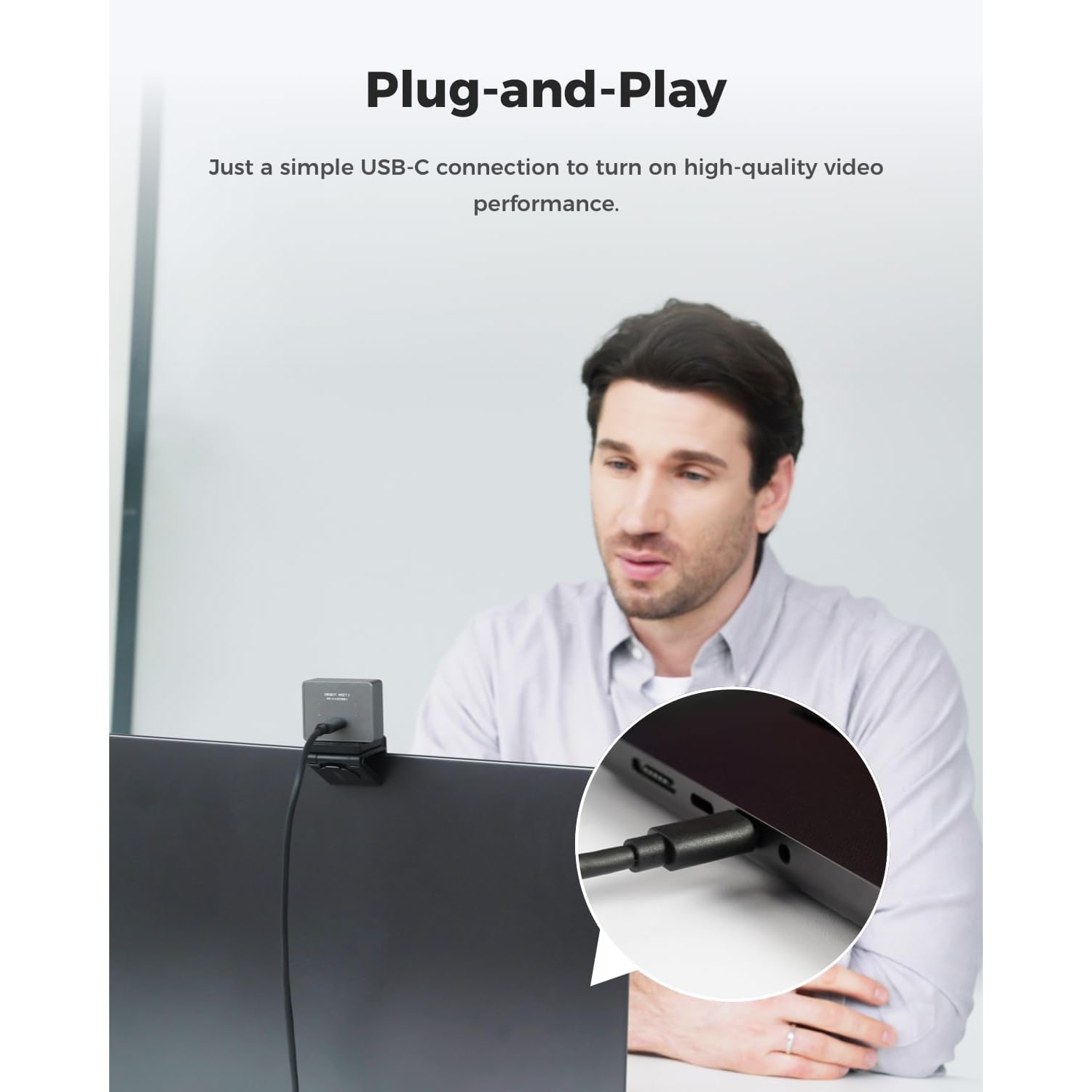
At 40.5 g with an ultra compact body and a single USB connection, it travels anywhere and works the moment you plug it in.

Compact 4K Webcam with AI Framing

Most people discover their laptop camera is the weak link in their setup the moment someone shares a screenshot of a call. Built-in cameras use tiny sensors squeezed into a thin lid, and they struggle the second the room light drops. This 4K webcam takes a different approach. It pairs a UHD 4K sensor with a 1/2-inch CMOS chip, which gives the camera a much larger light-sensitive area to work with. More light in means a picture with more detail, less noise and better colour in the kind of ordinary indoor lighting most of us actually work in.

Compact 4K Webcam with AI Framing

AI framing is the feature people notice first. Instead of sitting stiffly in the middle of the frame, you can shift in your chair, lean toward your keyboard or turn to a whiteboard, and the view follows so you stay centred. Combine that with auto focus on the prime lens and the camera handles the two things that usually go wrong on video, which are drifting out of shot and going soft when you change distance. Dynamic gesture control means you can toggle framing with an open-hand signal and adjust the 4x digital zoom with a pointing gesture, so you are not hunting through a settings menu mid-meeting.

Compact 4K Webcam with AI Framing

Sound matters as much as picture, and the camera carries dual omni-directional mics with noise cancellation that adapts to the scene. They are built to pull your voice forward while pushing down the steady background noise that clutters a call, including wind noise, keyboard typing and other ambient noise. For a lot of people this removes the need for a separate desk microphone on everyday meetings, though serious streamers and podcasters will still want a dedicated mic for their main recordings.

Compact 4K Webcam with AI Framing

The physical design is the quiet highlight. At 40.5 g, this is a webcam the maker describes as about as big as a pair of earbuds. It clips to a laptop lid or monitor, packs into the same pocket as your charger and does not throw off the balance of a thin screen. The minimalist styling in grey sits quietly on a desk rather than announcing itself, which is a real benefit when the camera lives permanently on top of your display.

Compact 4K Webcam with AI Framing

Setup is genuinely plug and play. A single USB-C connection powers the camera and carries video and audio, so it works with laptops, desktop computers and tablets without drivers or a separate power brick. There is no onboard storage, so footage records straight to your PC or Mac in MP4, with MJPEG and YUV stream formats available to the software you use. Exposure and white balance run automatically, and the camera supports landscape, portrait and upside-down orientations for monitor mounts and arms. Note that the camera is not water resistant and has no optical image stabilization, so it is built for desk and mount use rather than handheld filming.

Not sure yet? That is fine.

A camera has to suit the job you bought it for, and you cannot always judge that from a photograph. If it is not right for you, send it back within 14 days of delivery in resaleable condition and we refund the price you paid, including standard delivery. That is a voluntary policy we offer on top of your legal rights.

If it turns up faulty, damaged or not as described, that is on us. The consumer protection law of your province or territory covers you, and we pay the return postage. Read the full detail on our refunds and returns page, or ask us anything before you order.

Frequently Asked Questions

What is this product?

It is a compact USB webcam that records and streams video at 4K UHD resolution. It uses AI framing to keep you centred in the shot and auto focus to keep you sharp. It also has two built-in microphones with noise cancellation.

How does AI framing actually work?

The camera detects where you are in the frame and adjusts the view so you stay centred as you move. If you lean toward your keyboard or shift in your chair, the shot follows rather than leaving you off to one side. You can switch the feature on or off with a gesture.

What is gesture control used for?

It lets you control two things without touching your keyboard. An open-hand signal toward the camera toggles AI framing, and a pointing gesture adjusts the zoom. It is handy mid-call when you do not want to open a settings window.

Do I need to install software to use it?

No. It is plug and play over a single USB-C connection, so it should be recognized as a camera and microphone as soon as you connect it. Companion software is available if you want to go deeper into the settings, but it is optional for everyday use.

What resolution does it record at?

It captures 4K UHD video with a 16 by 9 aspect ratio. Effective video and still resolution are both given as 48 MP. Video is captured in MP4, with MJPEG and YUV stream formats available.

Is 4K worth it if my calls run at lower resolution?

Often yes. Most meeting platforms compress video heavily, and a cleaner, better-lit source image survives that compression far better than a soft one. You also get the full resolution for local recording.

How big is the sensor?

The photo sensor size is 1/2 inch, and the sensor technology is CMOS. That is a larger light-gathering area than the sensors in most built-in laptop cameras, which is why the picture tends to look brighter and less noisy indoors.

What lens does it use?

It uses a prime lens with auto focus. The stated minimum focal length is 10 and the maximum is 26, with a maximum aperture of f/1.8 and a minimum aperture stated as 2.8 mm.

Does it have optical zoom?

No. The zoom is digital, up to 4x. Digital zoom crops into the sensor, so starting from a 4K image means you keep useful detail at moderate zoom levels.

How heavy is it?

The camera weighs 40.5 g, and the maker describes it as about as big as a pair of earbuds. That makes it one of the smaller desk cameras you will find.

Will it fit on a thin laptop screen?

Its ultra compact size and very low weight mean it sits on a thin lid without pulling the screen forward. It is also small enough that it does not block much of the display bezel.

Can I mount it on a tripod or arm?

The maker does not specify a tripod thread, so check the mount hardware included before planning an arm setup. It does support landscape, portrait and upside-down shooting modes, which helps with overhead and under-monitor mounting.

What devices does it work with?

The maker names laptops, personal computers and tablets, connected over USB-C. A USB cable is included.

Does it work on a Mac?

It connects as a standard USB camera, so it should be picked up by Mac applications that use a webcam. Recording goes to your computer, since the camera has no onboard storage.

Does it need a separate power supply?

No. The maker states the camera turns on with a single USB-C connection, which also carries video and audio at the same time. That is one of the reasons it suits travel so well.

Is there a microphone built in?

Yes, it has dual omni-directional microphones with noise cancellation. They are designed to adjust the level of noise reduction to the scene, filtering out wind noise, keyboard typing and other ambient noise while keeping speech clear.

Do I still need a separate microphone?

For meetings, lessons and casual streams, the built-in mics are usually enough. If you record music, podcasts or voiceover work where audio quality is the main product, a dedicated microphone is still a better choice.

What audio formats does it support?

The supported audio formats are given as AAC, MP3 and PCM. Your recording software will usually decide which one gets used.

Can it record on its own without a computer?

No. There is no flash memory or onboard storage, so it relies on your PC or Mac for recording. Think of it as a camera for live use and computer-based capture.

Does it have image stabilization?

No, the maker states there is no image stabilization. That is normal for a desk webcam, which stays fixed on a lid or mount rather than being held in the hand.

Is it waterproof?

No. The maker states it is not water resistant, so keep it away from rain, spills and damp surfaces. It is built for indoor desk use.

Does it handle low light well?

The larger 1/2-inch CMOS sensor and f/1.8 maximum aperture both help the camera gather more light than a typical laptop camera. You will still get the best results with some light on your face, such as a window or a desk lamp in front of you.

Does it adjust exposure and colour automatically?

Yes. Exposure control is automatic and white balance is set to auto. For most rooms you can plug in and start talking without adjusting anything.

Is it suitable for streaming as well as meetings?

Yes, it is aimed at video calls, streaming, meetings and gaming use. AI framing is especially useful for streamers who move around while talking or switch between keyboard and camera.

Is this a good option for online teaching?

It works well for teaching because framing keeps you in shot when you turn to a board or lean to a second screen. The 4x digital zoom also lets you push in on a document or object without moving the camera.

Does the camera get warm during use?

The maker says the camera may get hot during use and that this is normal and does not damage it. Keep it in open air rather than covered or enclosed so it can shed heat.

How do I clean it?

Wipe the lens gently with a dry microfiber cloth and keep solvents, alcohol wipes and abrasive cloths away from the glass and body. Keep it dry at all times, since it is not water resistant.

What colour is it?

This unit is grey, in a style the maker calls minimalist. It is finished to sit quietly on a desk rather than stand out.

How long does delivery take and what does it cost?

Delivery is tracked to any Canadian address. Allow 4 to 7 business days from the order date, and a little longer for rural, remote and northern addresses. Orders of $150 or more are delivered free, and smaller orders pay a flat $20.

What if it is not right for me?

You can return it within 14 days of delivery in resaleable condition with everything it came with. Get in touch first and we will walk you through the steps, and if the issue is a setup one we are happy to help you try a fix before you pack it up.

How to Choose a 4K Webcam with AI Framing

6 min read Camera Company

The problem with the camera you already have

Open your laptop lid, start a call, and look at the little preview window. If your face looks slightly grey, a bit soft, and the background is blown out white where the window is, you are seeing the limits of a built-in camera. There is nothing wrong with the engineering. There is just no room inside a 5 mm screen lid for a sensor big enough to do a good job in ordinary room light.

That matters more than it used to. Interviews, client pitches, lessons and first introductions all happen on camera now. A dim, grainy picture does not ruin anything on its own, but it makes you look less present than the person in the next tile who sorted their setup out. A standalone camera with a bigger sensor is the single change that fixes the most for the least effort.

What a bigger sensor actually buys you

Resolution gets the headlines, but sensor size does most of the work. This camera uses a CMOS sensor with a 1/2-inch photo sensor size, which is a lot of surface area for a webcam. A bigger surface collects more light, and more light means less digital noise, better colour and a picture that holds together when the sun goes behind a cloud.

Resolution still counts. At 4K UHD, you have detail to spare. Meeting platforms compress hard, and a crisp source image survives that squeeze far better than a soft one. You also get headroom for cropping. The 4x digital zoom works by cutting into the sensor image, so starting from 4K means a moderate zoom still looks clean, where the same crop from a 720p camera would fall apart.

The lens is a prime design with auto focus, a maximum aperture of f/1.8 and a stated focal range of 10 to 26. The wide aperture is part of the low-light story too, since it lets more light reach the sensor in the first place.

Why AI framing changes how calls feel

Most of us do not sit still. We lean in to read a shared document, sit back to think, swivel to grab something from a desk drawer. On a fixed camera, that means drifting toward the edge of frame or cutting off the top of your head.

AI framing tracks where you are and adjusts the view so you stay centred. The effect is subtle when it is working well. You stop thinking about your posture and start thinking about the conversation. For anyone who presents, teaches or streams while moving between a screen and a board, it removes a small, constant distraction.

Auto focus does the same job for sharpness. Lean 12 inches closer to show someone a product sample and the camera pulls focus rather than leaving you in a blur.

Gesture control is the practical touch on top. An open-hand signal toggles AI framing, and a pointing gesture handles zoom. You are not opening a settings panel while fifteen people watch you do it. One hand, one second, done.

Sound is half the job

People forgive a mediocre picture. They do not forgive audio they have to strain through. This camera carries two omni-directional microphones with noise cancellation that adapts to the scene, pulling down wind noise, keyboard typing and other ambient noise while keeping your voice forward.

For most working use, that is enough to retire a headset. If you record podcasts, voiceover or music, a dedicated microphone is still the better tool, because that is the whole point of a dedicated microphone. But for meetings, lessons and casual streams, built-in mics of this type do the job without adding another cable to your desk.

Supported audio formats are AAC, MP3 and PCM, so whatever recording or conferencing software you use should find a format it is happy with.

Who this camera suits

People who work in more than one place. At 40.5 g, this is a webcam the maker describes as about as big as a pair of earbuds. It goes in the same pocket as your charger. If you move between an office desk, a kitchen table and a shared workspace, a camera this small means you are not choosing between portability and picture quality.

People on thin laptops. Heavier webcams tip light screens forward. This one does not.

Streamers and gamers who move. AI framing and gesture control were built with this use in mind. You can adjust your shot without breaking stride.

Teachers and trainers. Framing follows you to the board, and the 4x digital zoom lets you push in on a document or object without physically repositioning anything.

It is less suited to a few things. There is no optical image stabilization, so it is not a handheld camera. It is not water resistant, so it stays indoors. And there is no onboard storage, so everything records to your PC or Mac rather than to a card inside the camera.

How to choose between webcams

Start with your lighting, not the spec sheet. If you work in a bright room with a window in front of you, almost any decent camera will look fine. If you work in the evening, under a single ceiling light, or with a window behind you, sensor size and aperture become the specs that matter most. A 1/2-inch sensor with an f/1.8 lens is a meaningful step up from the typical built-in camera in exactly those conditions.

Then ask how much you move. If you sit perfectly still in a fixed chair, framing features are a nice extra. If you present, teach, stream or fidget, framing is the feature you will notice every single day.

Next, think about setup friction. A USB plug-and-play camera with no separate power brick is simply easier to live with, especially if you move desks. One cable, no drivers, works on laptops, desktops and tablets.

Finally, consider size. A big camera on a small screen looks odd and blocks your view. A compact body sits neatly on a monitor bezel and does not draw attention away from your face.

Setting it up well

Position the camera at or slightly above eye level. Looking slightly up at a lens is more flattering than looking down at one, and it reads as more engaged.

Put your main light source in front of you, not behind you. A window facing your desk, or a lamp beside your screen, beats a ceiling light directly overhead every time. The camera handles exposure and white balance automatically, so give it something reasonable to work with and it will do the rest.

Check what is behind you. A clean wall or a tidy shelf reads better than a doorway with movement in it. You have 4K of detail, which means your background has 4K of detail too.

If you mount the camera above or below a monitor at an angle, remember it supports landscape, portrait and upside-down shooting modes, so an inverted mount is not a problem.

Looking after it

Keep the lens clean with a dry microfiber cloth. Fingerprints on a small front element cause more haze than you would expect. Skip solvents, alcohol wipes and paper towels, which can scratch coatings.

Give the camera open air. Compact cameras processing 4K video run warm during long sessions, which is normal, and ventilation helps. Do not tuck it under a cloth or into a sealed pouch while it is plugged in and running.

Unplug by the connector rather than tugging the cord, and store it in a small soft pouch when it travels. Keep it dry, since it is not water resistant.

A note on recording people

If you plan to record calls, meetings or anything involving other people, rules about recording audio and recording other people are covered by federal and provincial law. Check what applies where you are and get agreement from the people in the room before you hit record. It is a quick conversation that avoids a slow problem.

The short version

If your built-in camera makes you look tired in a well-lit room, the fix is a bigger sensor. This camera brings a 1/2-inch CMOS sensor, a bright f/1.8 prime lens and 4K UHD capture into a body that weighs 40.5 g and plugs in over a single USB-C cable.

AI framing keeps you centred without you thinking about it. Auto focus keeps you sharp when you move. Dual noise-cancelling mics mean you are heard clearly without a headset. Gesture control lets you adjust framing and zoom with your hand instead of a menu.

It will not replace a dedicated microphone for serious audio work, and it is a desk camera rather than a handheld one. For everything else, from daily meetings to streams to lessons, it is the kind of upgrade you notice on the first call and stop thinking about after the second.

Browse the shop

Not sure if 4K is overkill?

Tell us how you use your camera and we will help you work out whether a 4K sensor and AI framing will actually change what people see.

Ask us a question

Page summary

This is an ultra compact 4K USB webcam built for video calls, streaming and meetings. It uses a CMOS sensor with a 1/2-inch photo sensor size, a prime autofocus lens with a focal range given as 10 to 26 and a maximum aperture of f/1.8, and it outputs 4K UHD video in MP4 with MJPEG and YUV stream formats at a 16 by 9 aspect ratio. Features include AI framing, dynamic gesture control, 4x digital zoom, automatic exposure, auto white balance, and dual omni-directional noise-cancelling microphones. The body weighs 40.5 g and is grey. It connects by USB-C to laptops, PCs and tablets, has no onboard storage, no image stabilization and is not water resistant. Brand, country of origin and material are not specified by the maker.